198 Adding and Replacing Parts
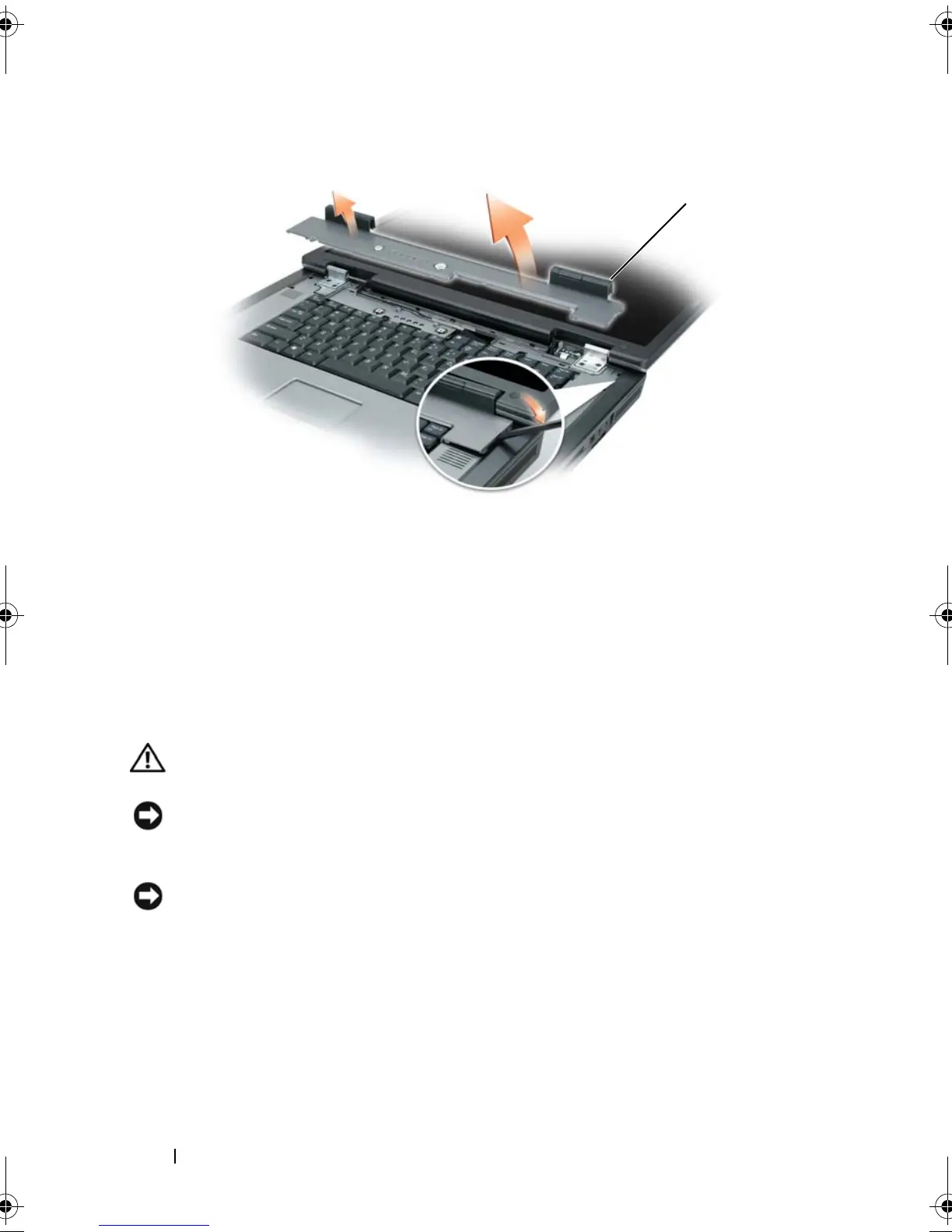
Replacing the Hinge Cover
With the display open all the way (180 degrees) so that it lies flat against the
work surface, snap the cover back into place, starting from left to right.
Keyboard
CAUTION: Before you begin the following procedure, follow the safety
instructions in the
Product Information Guide
.
NOTICE: To avoid electrostatic discharge, ground yourself by using a wrist
grounding strap or by periodically touching an unpainted metal surface (such as the
back panel) on the computer.
NOTICE: To help prevent damage to the system board, remove the main battery
(see "Before Working Inside Your Computer" on page 180) before working inside the
computer.
1
Follow the instructions in "Before Working Inside Your Computer" on
page 180.
2
Remove the hinge cover (see "Removing the Hinge Cover" on page 197).
3
Remove the two M2.5 x 5-mm screws at the top of the keyboard.
1 hinge cover
1
book.book Page 198 Tuesday, August 28, 2007 10:20 AM















 To Next Page