Adding and Replacing Parts 199
NOTICE: The key caps on the keyboard are fragile, easily dislodged, and time-
consuming to replace. Be careful when removing and handling the keyboard.
4
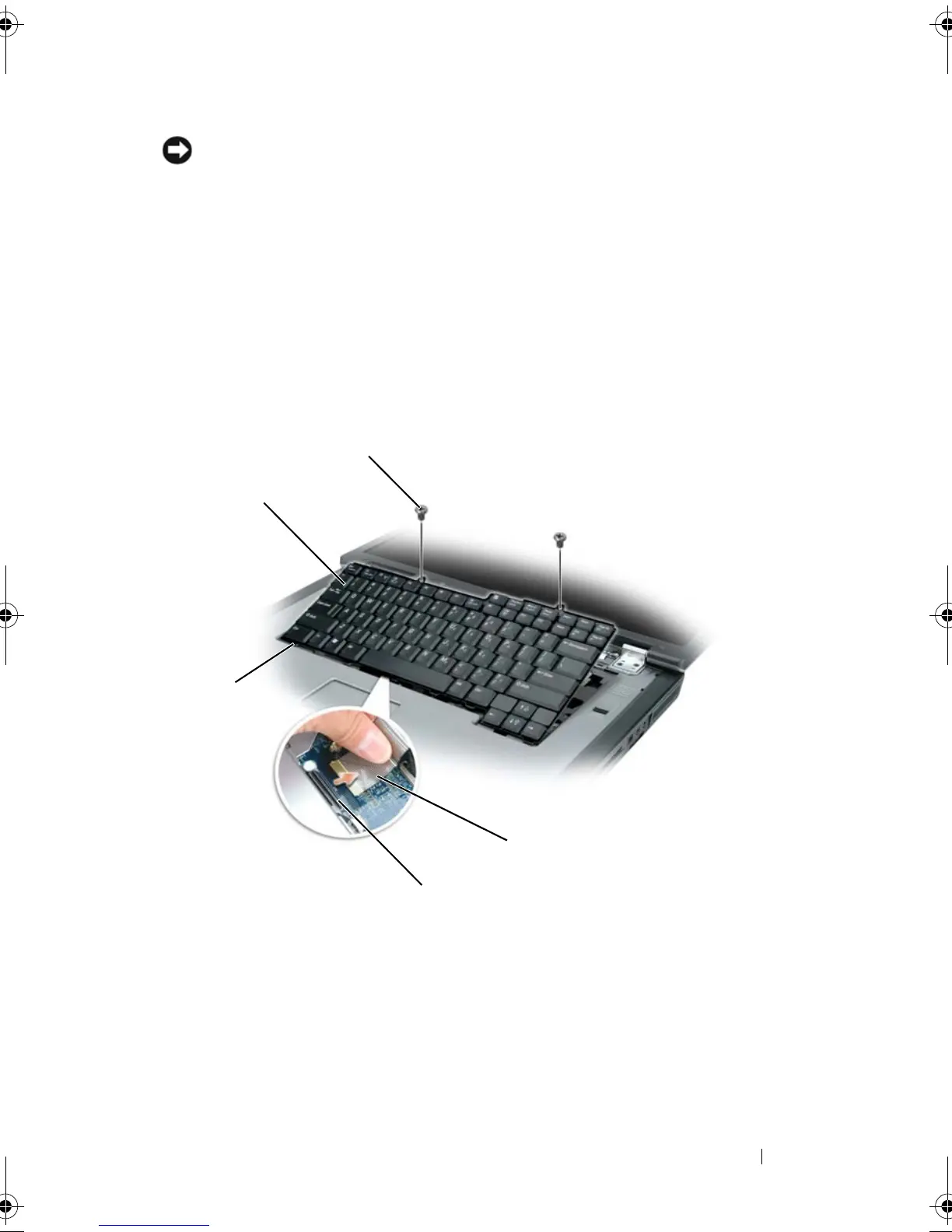
Lift the keyboard and hold it up and slightly forward to provide access to
the keyboard connector.
5
To disconnect the keyboard cable from the keyboard connector on the
system board, rotate the keyboard connector latch toward the front of the
computer.
6
Pull the keyboard cable to slide it out of the keyboard connector on the
system board.
7
Remove the keyboard.
1 keyboard 2 M2.5 x 5-mm screws (2)
3 keyboard cable 4 keyboard connector latch
5 tabs
2
4
1
3
book.book Page 199 Tuesday, August 28, 2007 10:20 AM















 To Next Page