Adding and Replacing Parts 211
5
Remove the eight M2 x 3-mm screws (four on each side of the display
panel).
6
Lift the display panel out of the display back cover.
7
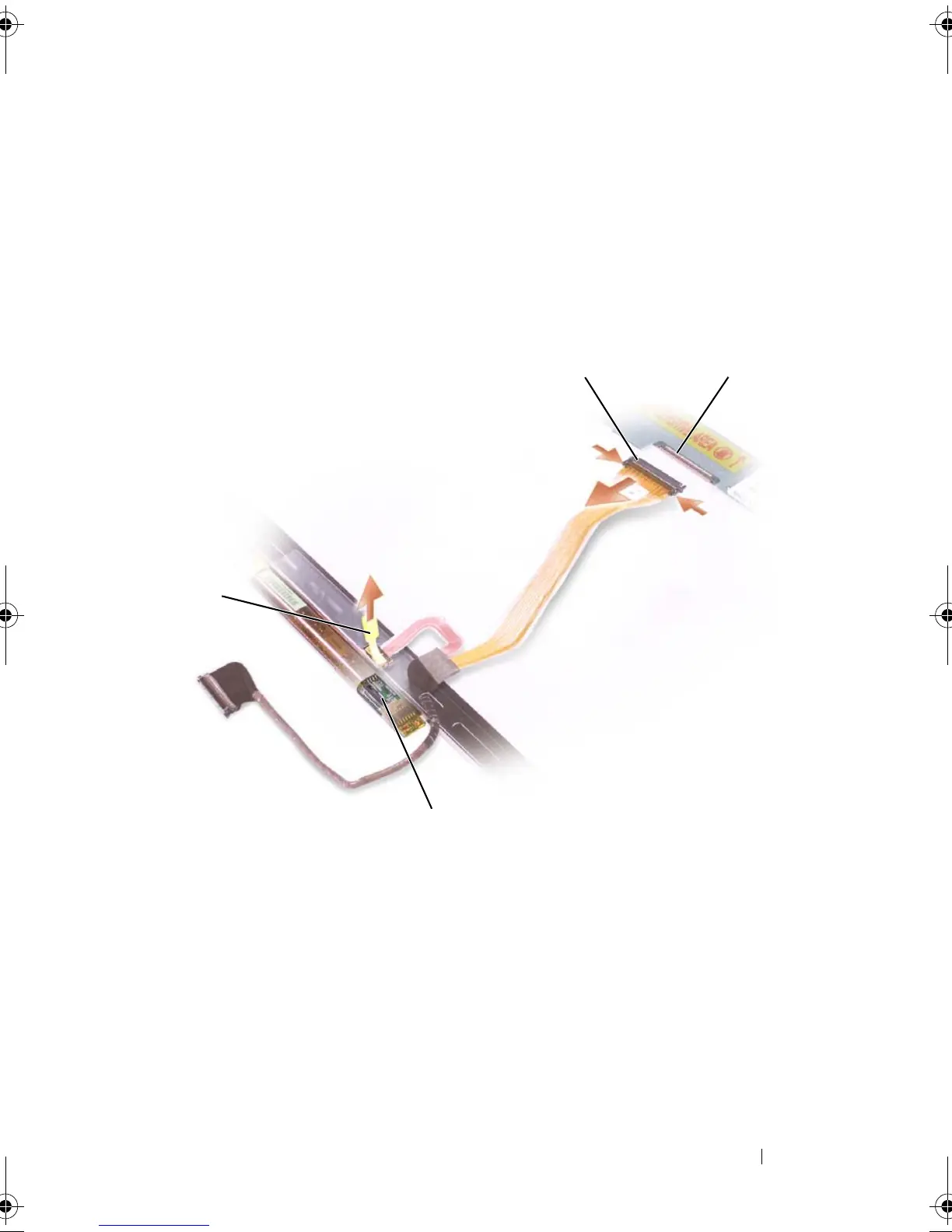
Press in both sides of the top flex-cable connector, and pull the top flex-
cable connector away from the display connector.
8
Use the pull-tab to disconnect the bottom flex-cable connector from the
inverter connector.
Replacing the Display Panel
1
Reconnect the top display-cable connector to the top flex-cable connector.
2
Reconnect the bottom flex-cable connector to the inverter connector.
3
Replace the display panel inside the display back cover.
1 pull-tab on bottom flex-cable
connector
2 top flex-cable connector
3 display cable connector 4 inverter connector
1
4
book.book Page 211 Tuesday, August 28, 2007 10:20 AM















 To Next Page