Using Multimedia 87
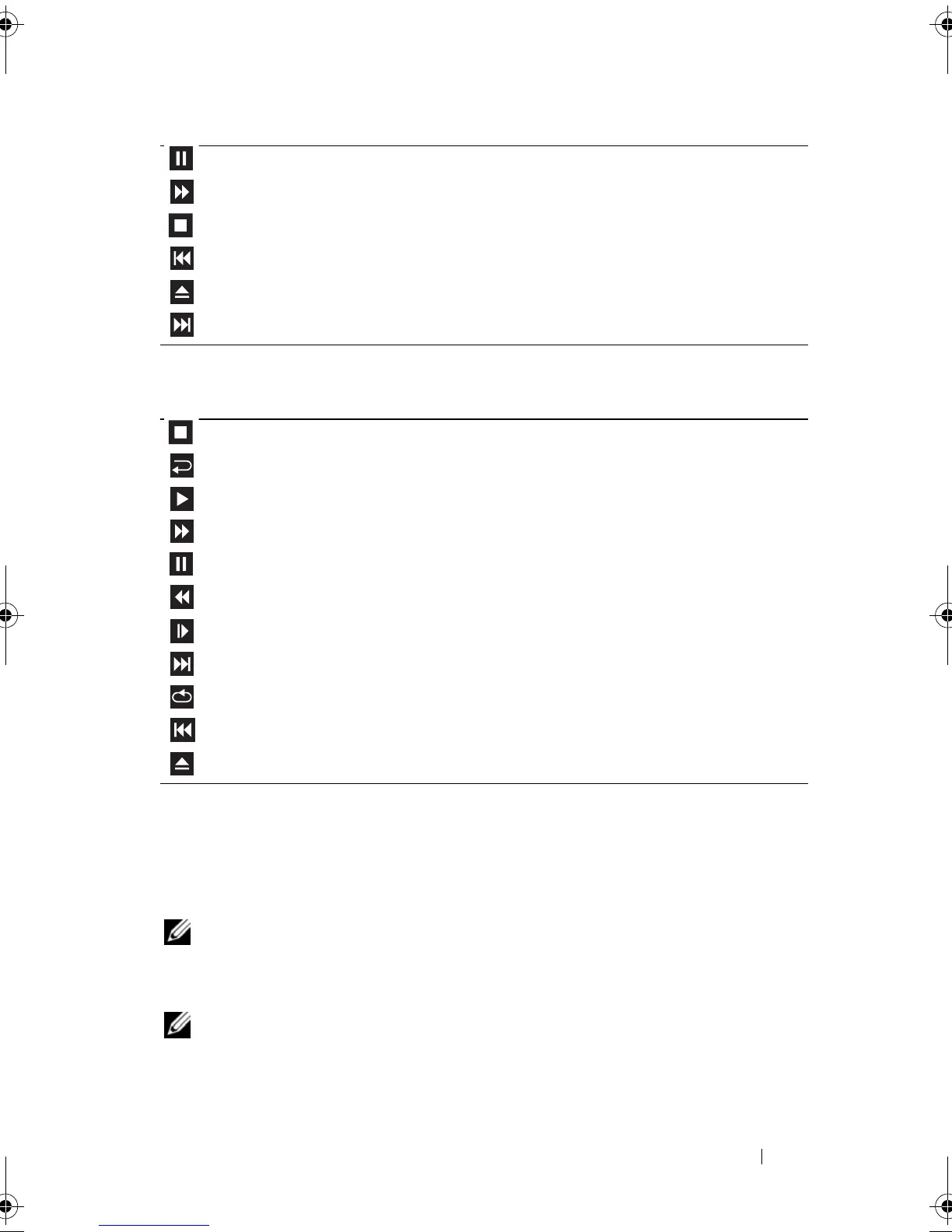
A DVD player includes the following basic buttons:
For more information on playing CDs or DVDs, click
Help
on the CD or DVD
player (if available).
Copying CD, DVD, and Blu-ray Disc™ (BD) Media
NOTE: Ensure that you observe all copyright laws when copying media.
This section applies only to computers that have a DVD+/-RW drive or a
BD-RE drive.
NOTE: The types of optical drives offered by Dell may vary by country.
Pause.
Move forward within the current track.
Stop.
Go to the previous track.
Eject.
Go to the next track.
Stop.
Restart the current chapter.
Play.
Fast forward.
Pause.
Fast reverse.
Advance a single frame while in pause mode.
Go to the next title or chapter.
Continuously play the current title or chapter.
Go to the previous title or chapter.
Eject.
book.book Page 87 Tuesday, August 28, 2007 10:20 AM















 To Next Page