190 Adding and Replacing Parts
NOTICE: Do not disconnect the modem cable from the system board.
Replacing the Modem
1
Connect the modem cable to the modem.
NOTICE: The connectors are keyed to ensure correct insertion. If you feel
resistance, check the connectors and realign the card.
2
Align the modem with the screw holes and press the modem into the
connector on the system board.
3
Install the screws to secure the modem to the system board.
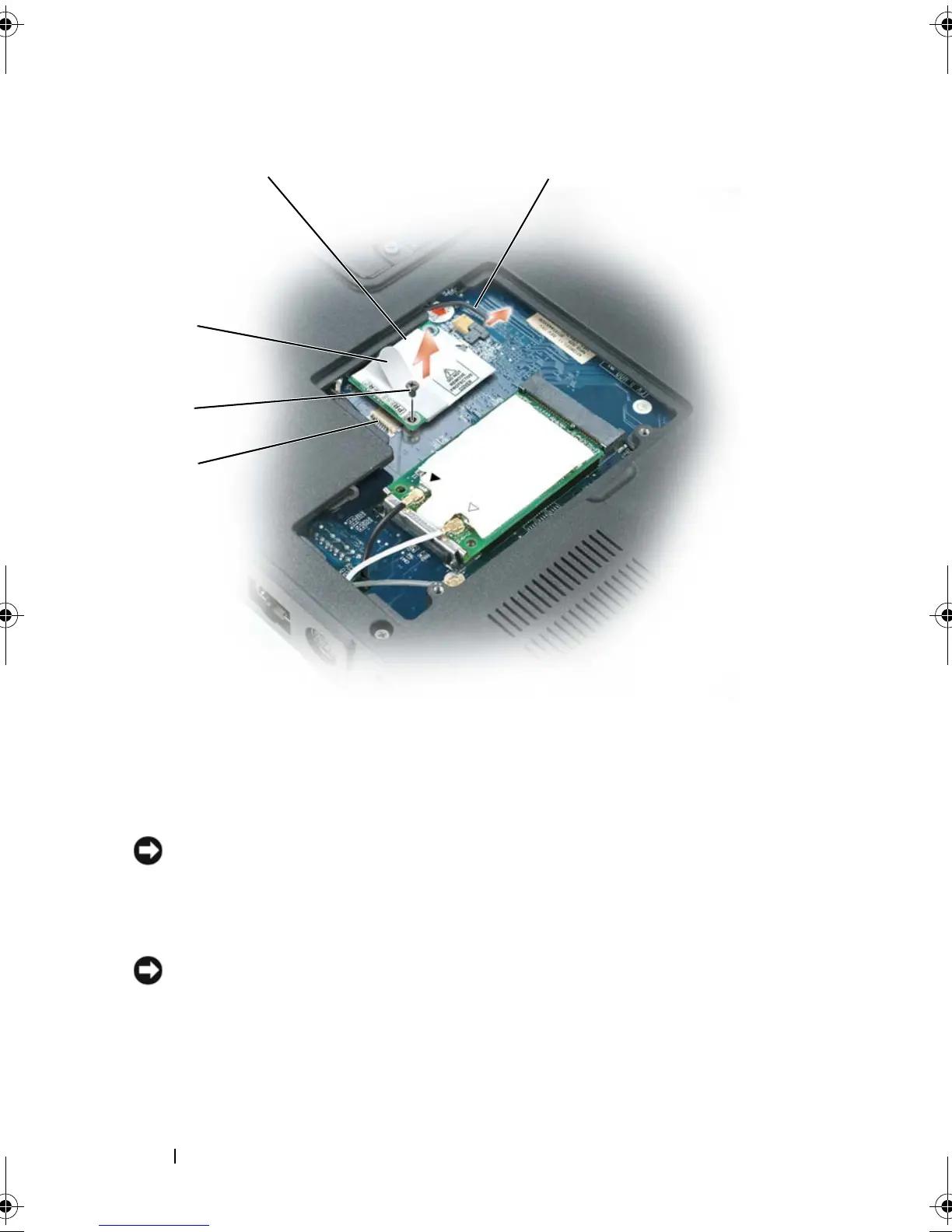
1 system board connector 2 M2 x 3-mm screw
3 pull-tab 4 modem
5 modem cable
3
1
2
book.book Page 190 Tuesday, August 28, 2007 10:20 AM















 To Next Page