40 About Your Computer
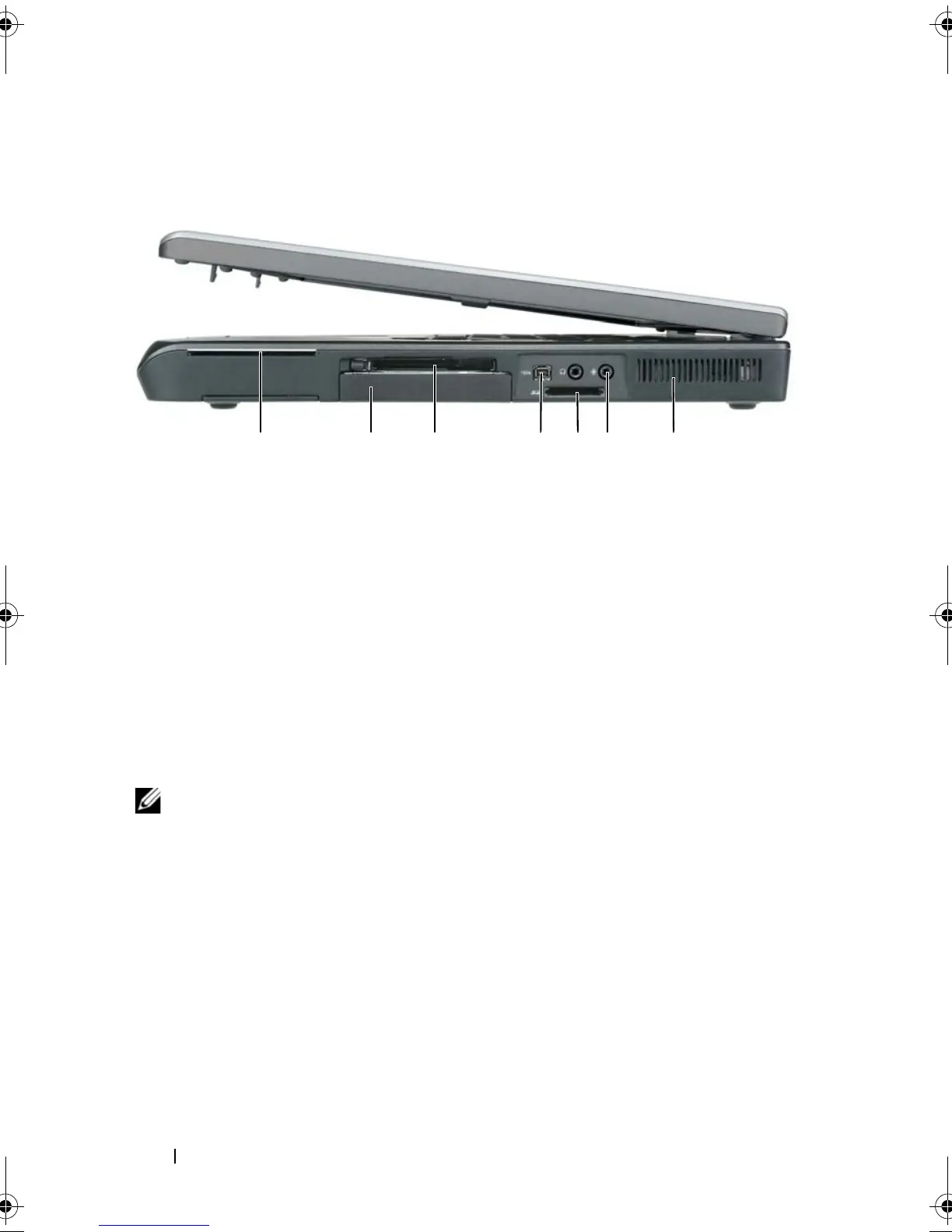
Right Side View
SMART CARD SLOT — Supports one smart card. See "Smart Cards" on page 126.
HARD DRIVE — Stores software and data.
E
XPRESSCARD SLOT — Supports one ExpressCard, such as a modem or network
adapter. The computer ships with a plastic blank installed in the slot to prevent foreign
matter from entering the computer interior when a card is not installed. For more
information, see
"Using Cards" on page 123.
NOTE: The ExpressCard slot does not support PC cards.
IEEE 1394
CONNECTOR — Connects devices supporting IEEE 1394 high-speed
transfer rates, such as some digital video cameras.
5-
IN-1 MEDIA MEMORY CARD READER — Provides a fast and convenient way to view
and share digital photos, music, and videos stored on a media memory card. The 5-in-
1 media memory card reader reads the following digital media memory cards:
• Secure Digital (SD) card/SDIO
• MultiMediaCard (MMC)
•Memory Stick
•Memory Stick PRO
•XD-Picture Card
1 smart card slot 2 hard drive
3 ExpressCard slot 4 IEEE 1394 connector
5 5-in-1 media memory card reader 6 audio connectors (2)
7 air vent
2 345671
book.book Page 40 Tuesday, August 28, 2007 10:20 AM















 To Next Page