Using Multimedia 91
Adjusting the Volume
NOTE: When the speakers are muted, you do not hear the CD or DVD playing.
1
Open the
Volume Control
window.
2
Click and drag the bar in the
Volume Control
column and slide it up or
down to increase or decrease the volume.
For more information on volume control options, click Help in the Volume
Control window.
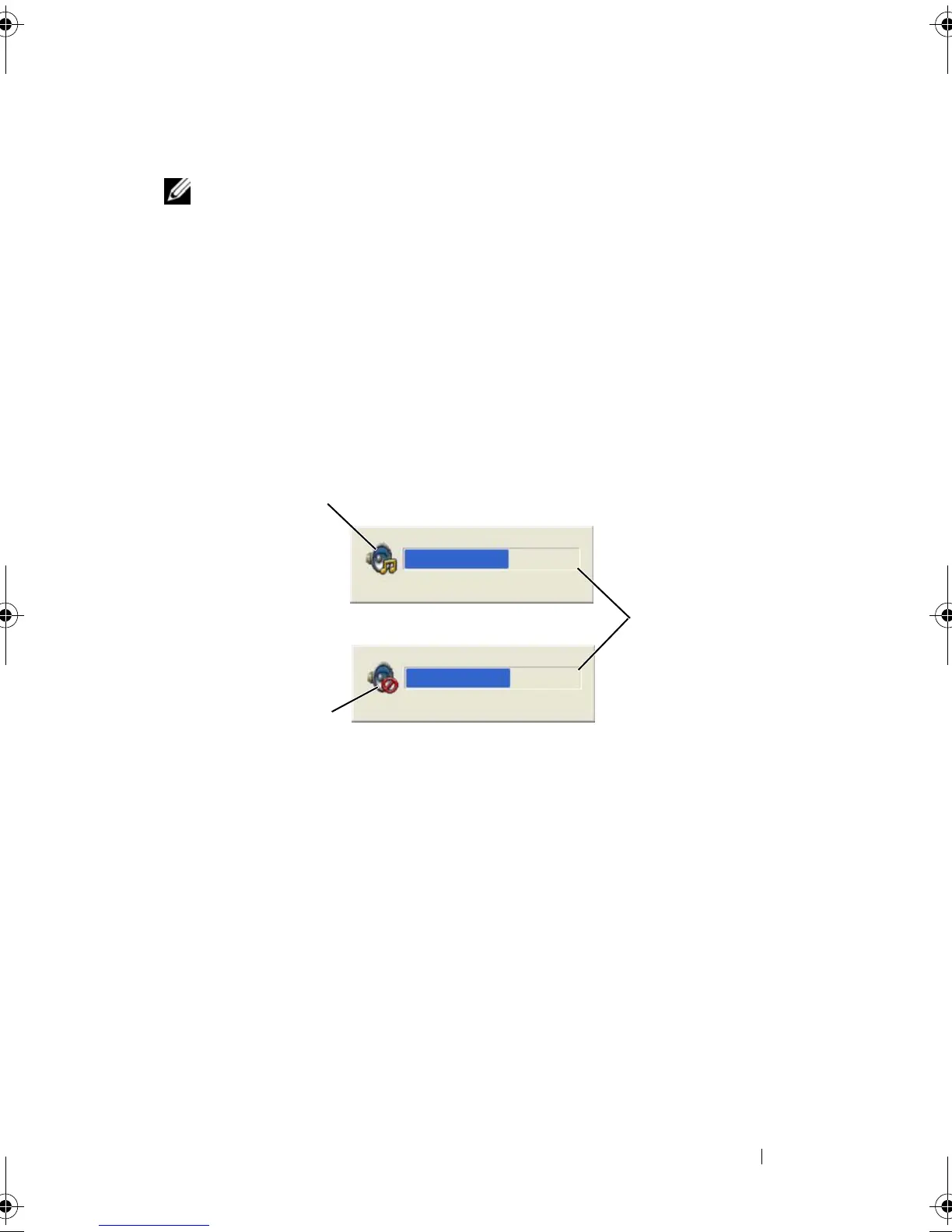
The Volume Meter displays the current volume level, including mute, on your
computer. Either click the QuickSet icon in the taskbar and select or deselect
Disable On Screen Volume Meter, or press the volume control buttons to
enable or disable the Volume Meter on the screen.
When the meter is enabled, adjust the volume with the volume control
buttons or by pressing the following keys:
• Press <Fn> <PageUp> to increase volume.
• Press <Fn> <PageDn> to decrease volume.
• Press <Fn> <End> to mute volume.
For more information about QuickSet, right-click the icon in the taskbar and
click Help.
1 volume icon 2 Volume Meter
3 mute icon
1
3
2
book.book Page 91 Tuesday, August 28, 2007 10:20 AM















 To Next Page