Adding and Replacing Parts 221
Replacing the Speakers
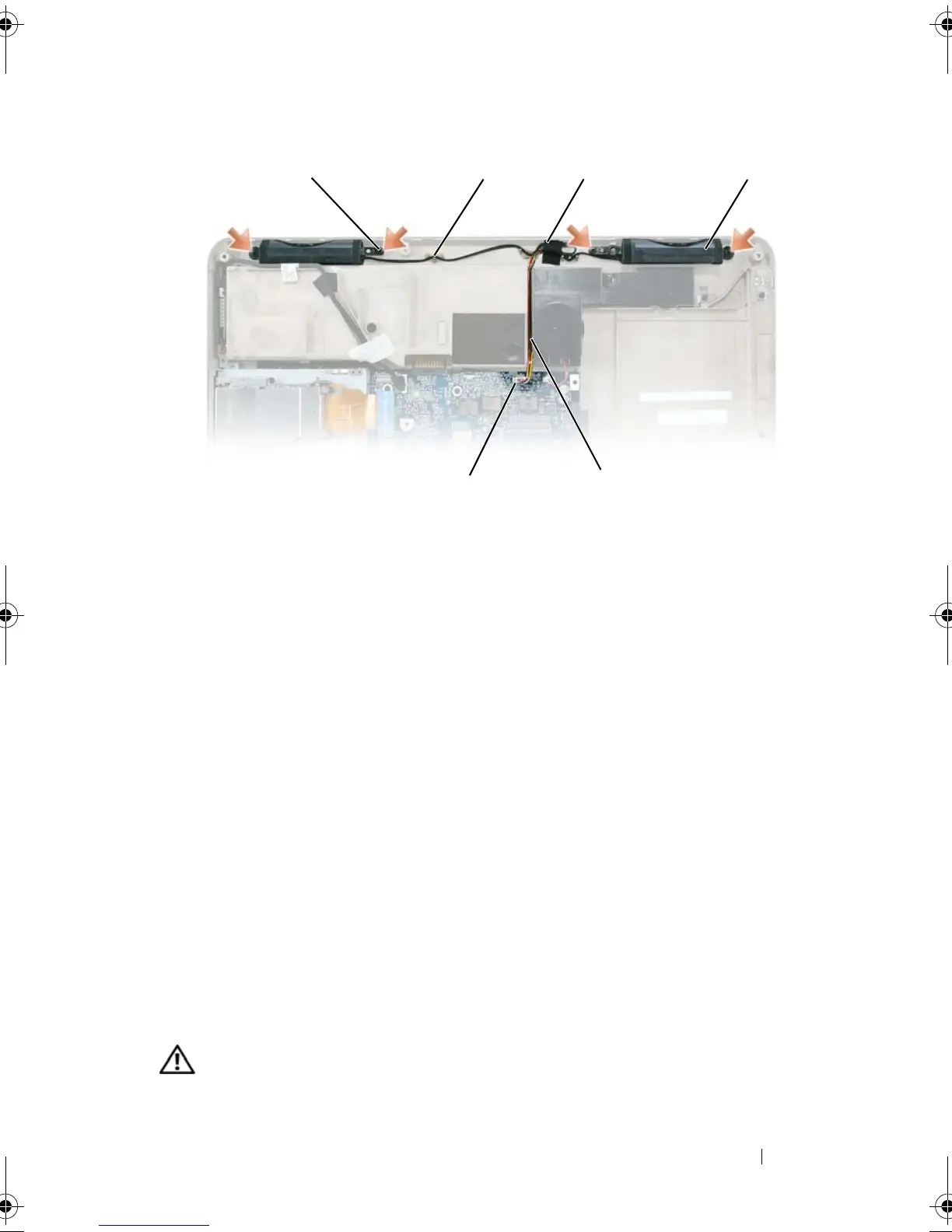
1
Connect the speaker cable connector to the connector on the system
board.
2
Align the speakers on the screw holes for securing the speakers to the
computer base.
3
Replace the four M2.5 x 5-mm screws to secure the speakers in place (two
on each speaker).
4
Re-route the speaker cables into the cable guides, and re-adhere the tape
to secure the speaker cables in place on the computer base.
USB Port Board
Removing the USB Port Board
CAUTION: Before you begin the following procedure, follow the safety
instructions in the
Product Information Guide
.
1 M2.5 x 5-mm screws (4) 2 cable guides
3 tape 4 speakers (2)
5 speaker cable 6 connector or system board
6
1 4
2
5
book.book Page 221 Tuesday, August 28, 2007 10:20 AM















 To Next Page