Adding and Replacing Parts 233
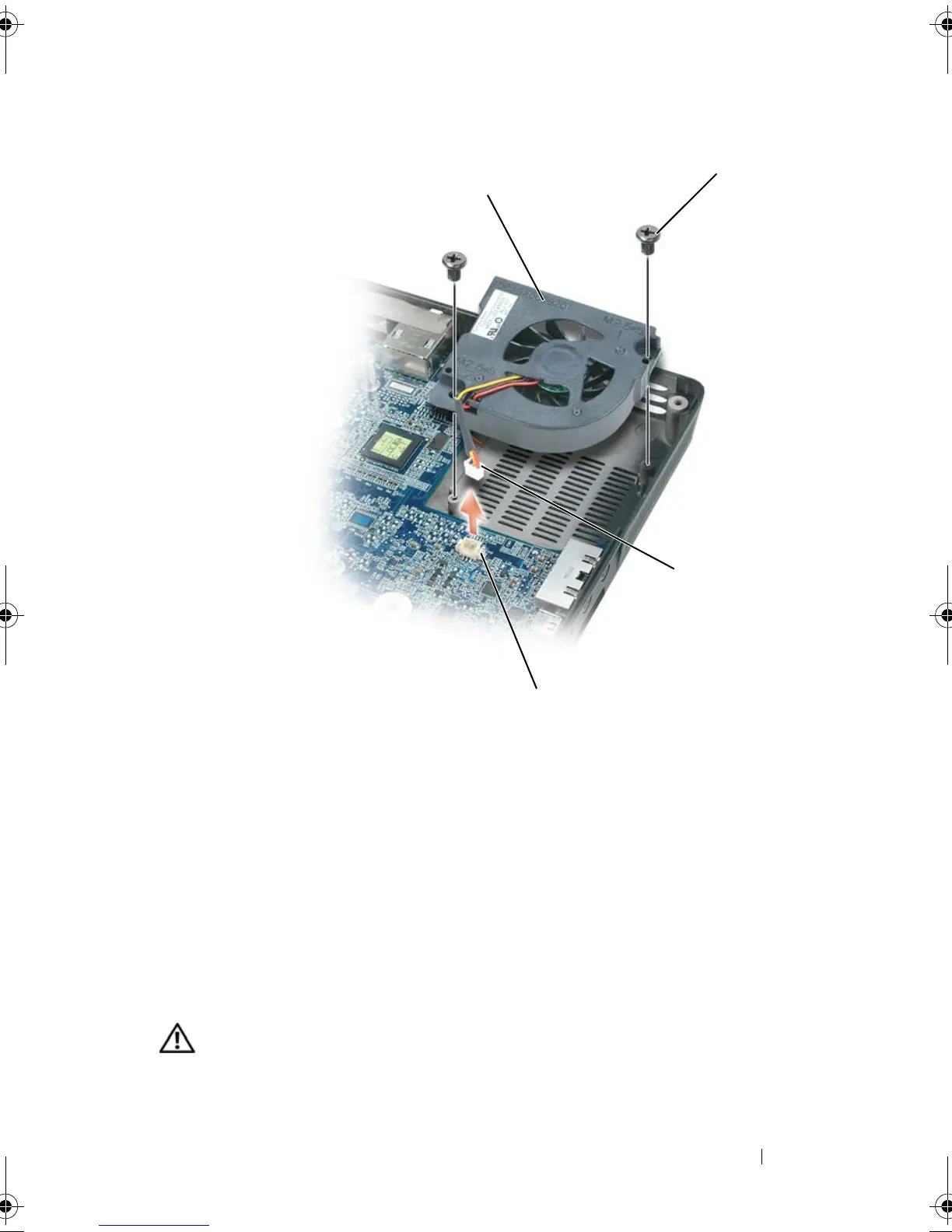
Replacing the System Fan(s)
1
Carefully align the system fan over the system board and press down.
2
Tighten the two M2.5 x 5-mm screws on the system fan
ExpressCard Cage
CAUTION: Before you begin the following procedure, follow the safety
instructions in the
Product Information Guide
.
1 fan for video card/thermal - cooling
assembly, if installed
2 M2.5 x 5-mm screws (2)
3 fan cable 4 fan-cable system board connector
1
4
3
book.book Page 233 Tuesday, August 28, 2007 10:20 AM















 To Next Page