Adding and Replacing Parts 225
Replacing the Processor Thermal-Cooling Assembly
1
Place a new thermal pad on the part of the thermal-cooling assembly that
will cover the new processor:
a
Remove the backing from the new thermal pad, taking care not to tear
the pad.
b
Place the pad’s adhesive-side against the part of the thermal-cooling
assembly that will cover the new processor, and press it into place.
NOTE: If you are replacing the thermal-cooling assembly without removing and
replacing a new processor, it is not necessary to clean the surface of the processor.
2
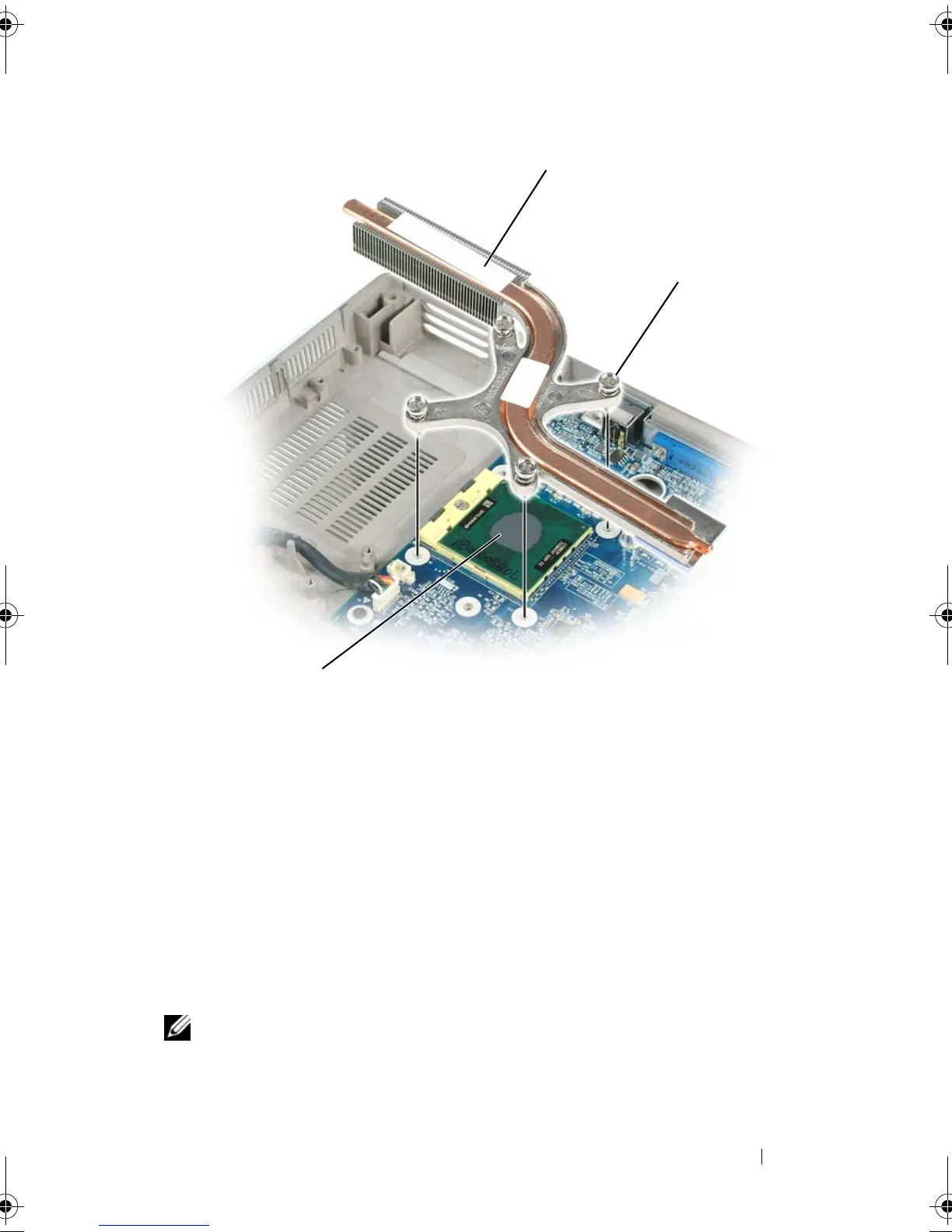
Place the processor thermal-cooling assembly over the processor.
1 processor thermal-cooling 2 captive screws (4)
3 thermal pad
2
3
book.book Page 225 Tuesday, August 28, 2007 10:20 AM















 To Next Page