218 Adding and Replacing Parts
NOTE: If you are installing a new palm rest, remove the coin-cell battery from the
old palm rest so that you can install it on the new palm rest. If you are removing the
palm rest only to access other computer components, you do not need to remove
the coin-cell battery from the palm rest.
7
Remove the coin-cell battery, if appropriate (see "Removing the Coin-Cell
Battery" on page 213).
8
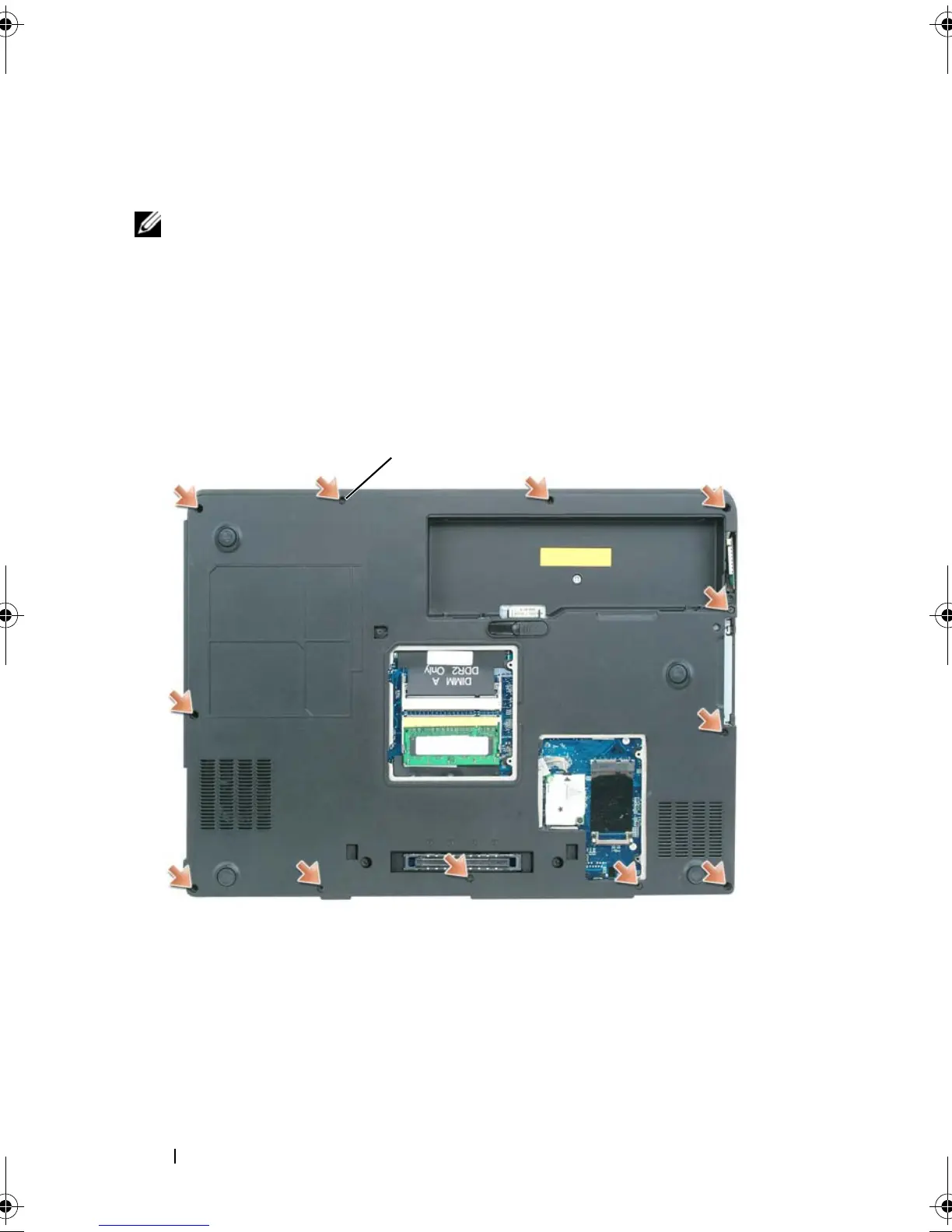
Turn the computer over and remove the 12 M2.5 x 8-mm screws from the
bottom of the computer.
9
Turn the computer top-side up and disconnect the touch-pad connector
from the system board.
1 M2.5 x 5-mm screws (6)
1 M2.5 x 8-mm screws (12)
book.book Page 218 Tuesday, August 28, 2007 10:20 AM















 To Next Page