192 Adding and Replacing Parts
4
Ground yourself by touching one of the metal connectors on the back of
the computer.
NOTE: If you leave the area, ground yourself again when you return to the
computer.
5
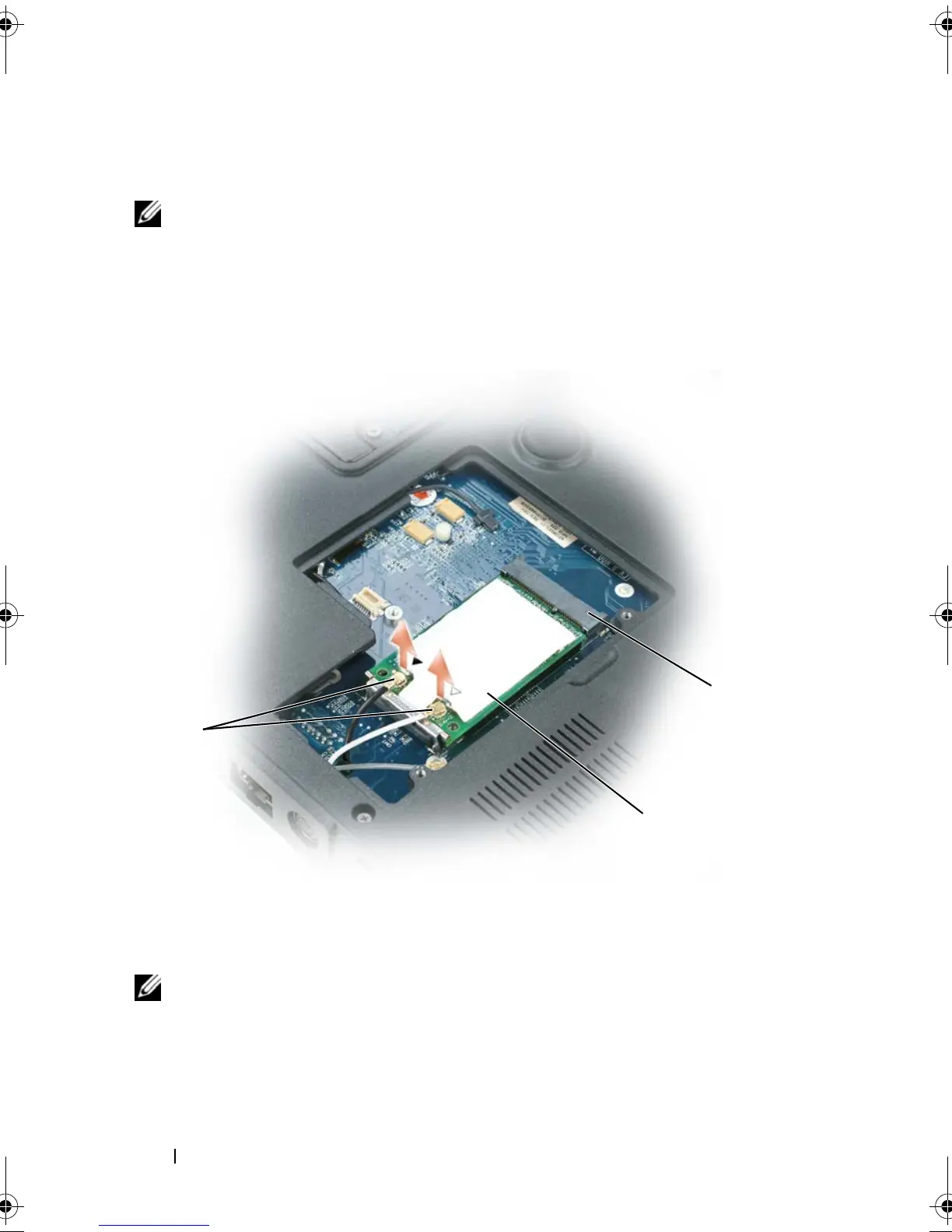
If a mini-cmini-cardard is not already installed, go to step 6. If you are
replacing a mini-card, remove the existing card:
a
Disconnect the antenna cables from the mini-card.
NOTE: Depending on the type of Mini Card you have, not all cables may be in use.
b
Release the mini-card by pushing the metal securing clips toward the
back of the computer until the card pops up slightly.
c
Lift the mini-card out of its connector.
1 antenna connectors (2) 2 mini-card
3 mini-card connector
1
3
2
book.book Page 192 Tuesday, August 28, 2007 10:20 AM















 To Next Page