194 Adding and Replacing Parts
NOTICE: The connectors are keyed to ensure correct insertion. If you feel
resistance, check the connectors and realign the card.
6
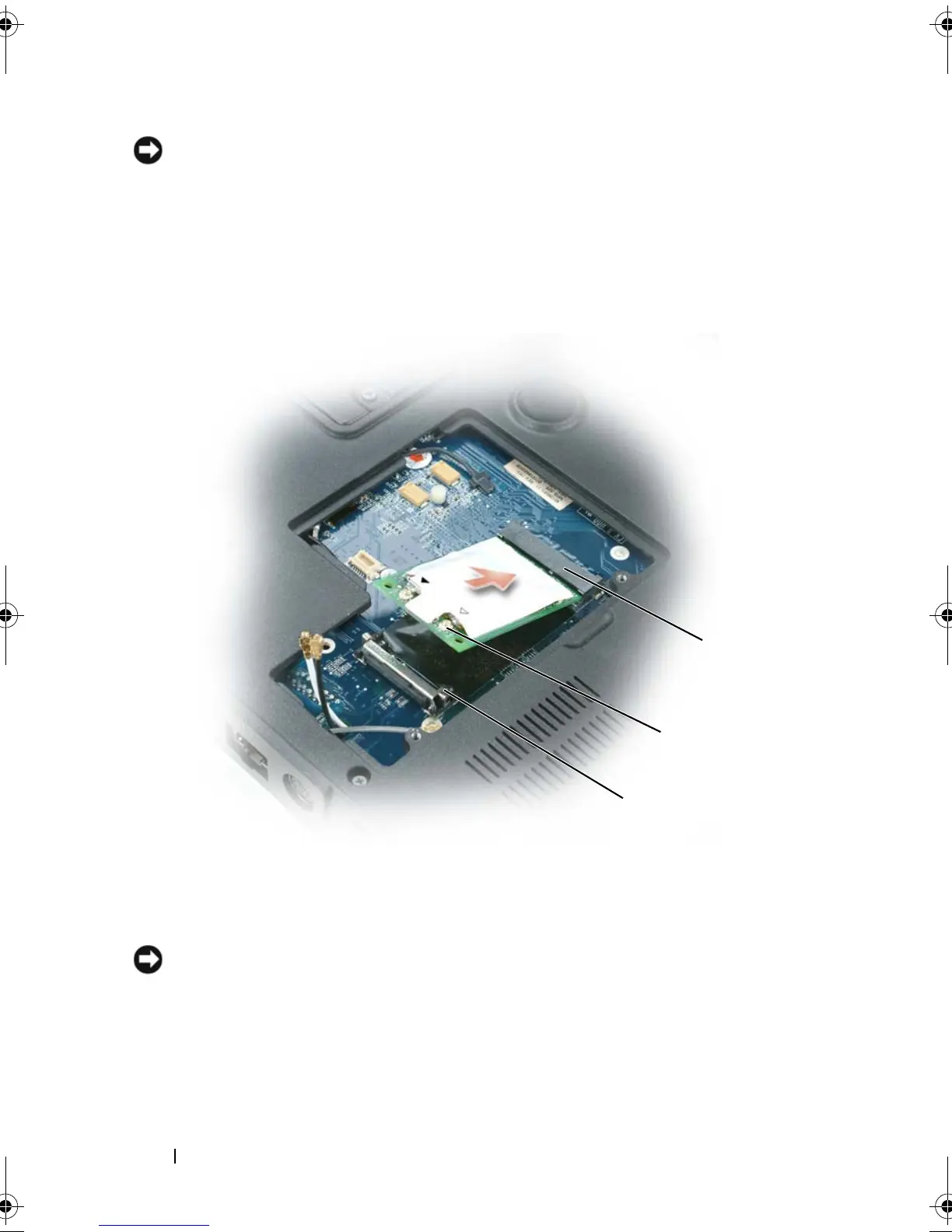
Install the replacement mini-card:
a
Align the mini-card with the connector at a 45-degree angle, and press
the mini-card down into the securing clips until the card clicks into
place.
NOTICE: To avoid damaging the mini-card, never place cables under the card.
b
Connect the antenna cables to the antenna connectors on the mini-
card by matching the color of the cable to the color of the triangle
above the connector. Connect the main antenna cable (white) to the
antenna connector with the white triangle. Connect the auxiliary
1 securing clips (2) 2 antenna connectors (2)
3 mini-card connector
2
3
1
book.book Page 194 Tuesday, August 28, 2007 10:20 AM















 To Next Page