214 Adding and Replacing Parts
NOTICE: To help prevent damage to the system board, remove the main battery
(see "Before Working Inside Your Computer" on page 180) before working inside the
computer.
1
Follow the instructions in "Before Working Inside Your Computer" on
page 180.
2
Remove the hinge cover (see "Removing the Hinge Cover" on page 197).
3
Remove the keyboard (see "Keyboard" on page 198).
4
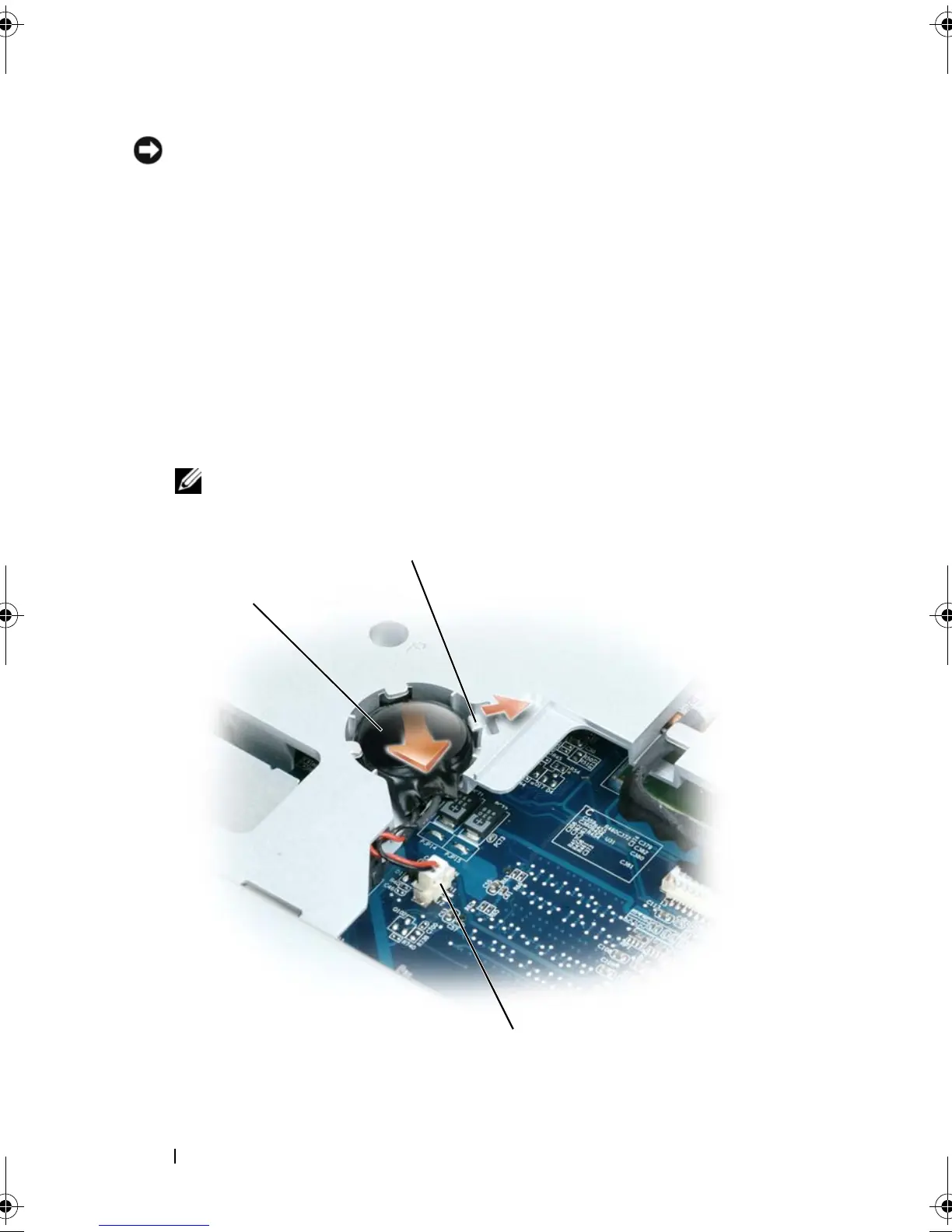
Remove the existing coin-cell battery:
a
Disconnect the battery cable connector from the system board.
b
Press the release latch on the side of the coin-cell battery
compartment, and lift up the battery.
NOTE: You may experience slight resistance when you lift the battery
because of an adhesive underneath the battery that holds it in place.
1
3
book.book Page 214 Tuesday, August 28, 2007 10:20 AM















 To Next Page