98 Using Multimedia
Composite Video and Standard Audio
1
Turn off the computer and the TV and/or audio device that you want to
connect.
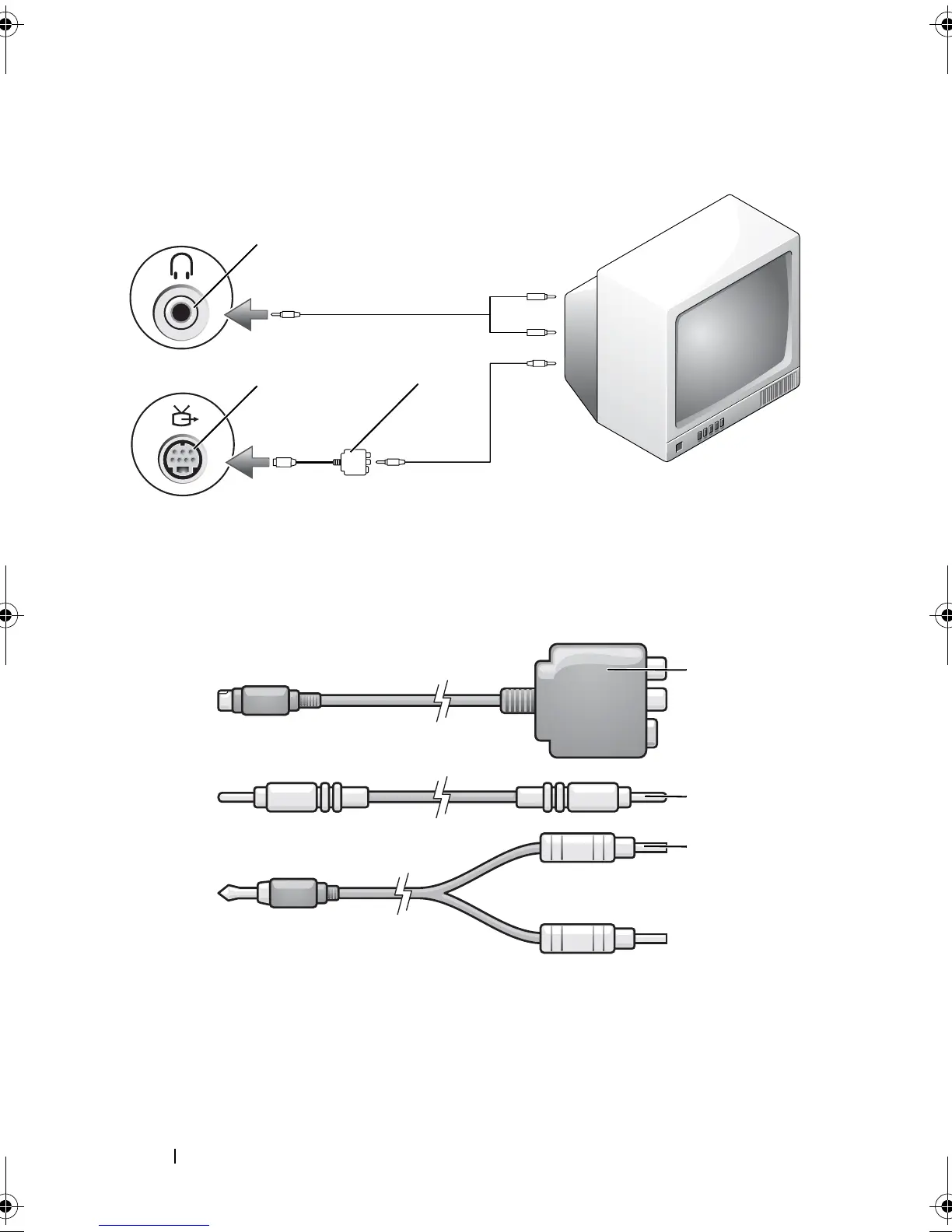
1 audio input connector 2 S-video TV-out connector
3 composite video adapter
1 composite video adapter 2 composite video cable
3 standard audio cable
2
1
3
1
2
3
book.book Page 98 Tuesday, August 28, 2007 10:20 AM















 To Next Page