8
When a message appears
8-20 ineo 163/213
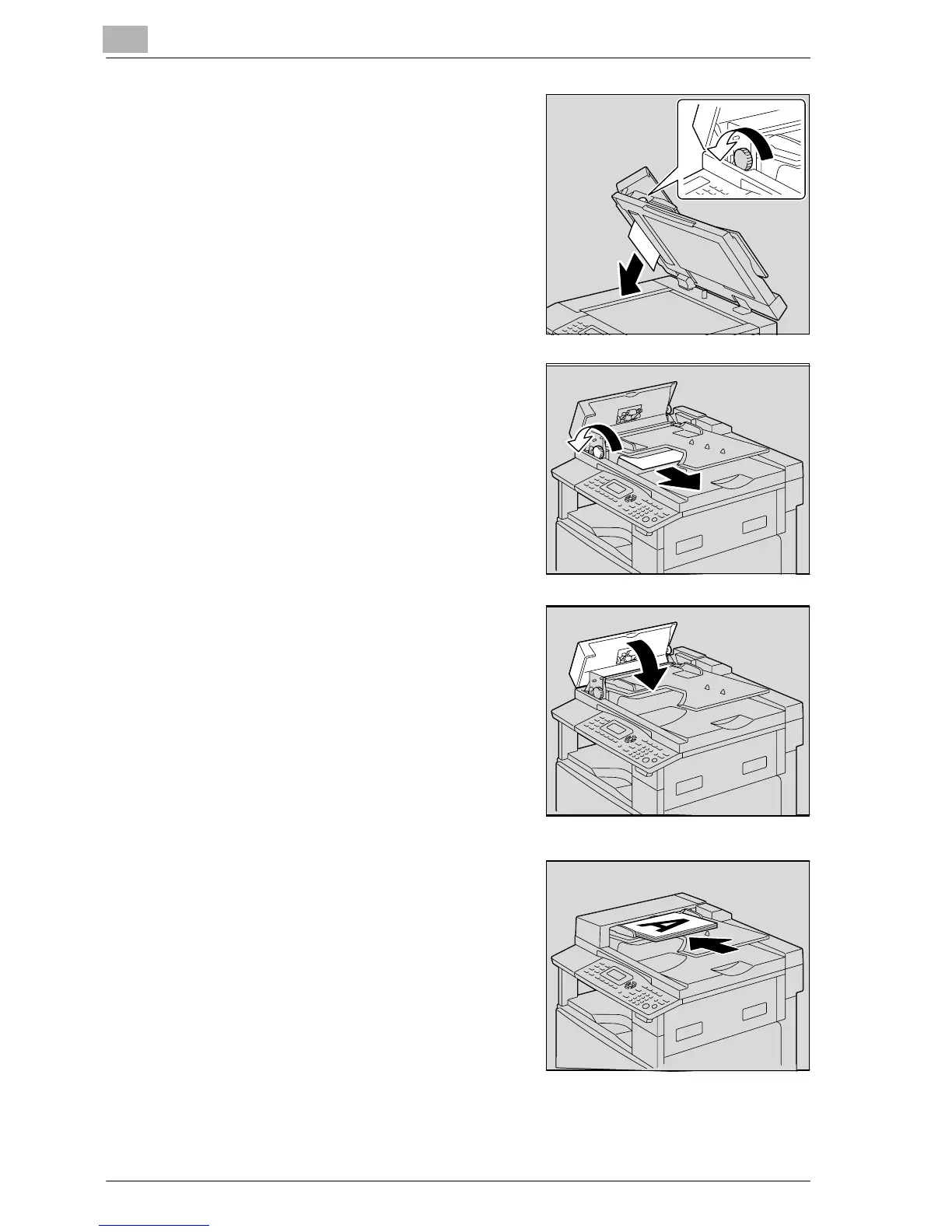
4 While turning the knob on the
document feeder in the direction of
the arrow, slowly pull out the
document.
5 Close the document feeder and the
misfeed-clearing cover.
6 Reload the tray with the document
pages removed in step 2.
– If the message "RETURN
ORIGINAL to ADF and PRESS
START KEY" appears on the
display, return the document
pages that caused the misfeed to
their original positions.










 To Next Page