3
Precaution
3-16 ineo 163/213
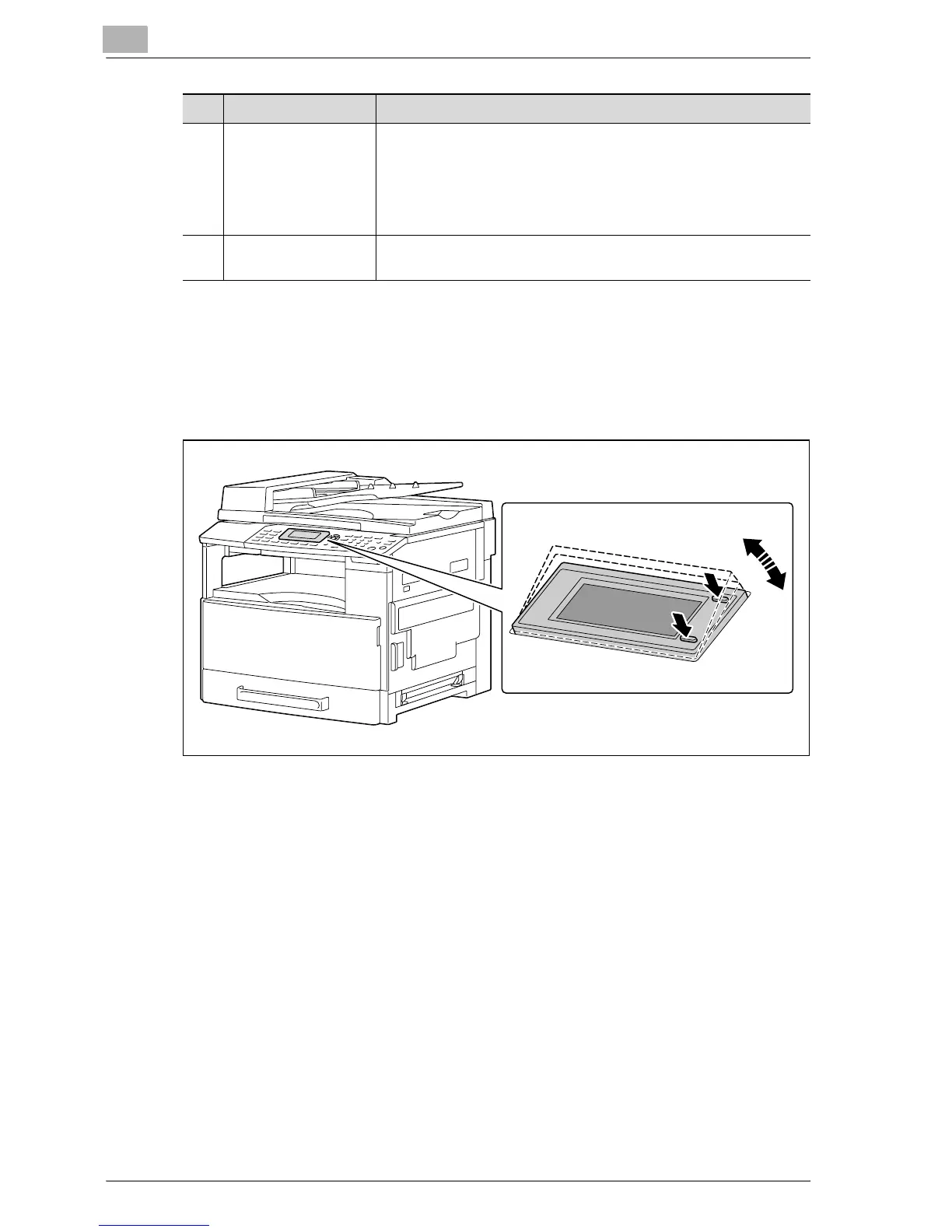
Adjusting the angle of the display
1 Press the display to adjust to any of three angles.
2 Adjust the display to the angle that allows for easy operation.
– Press the display at either A or B to adjust the display angle.
A: Lowers the display (3 % 2 % 1)
B: Raises the display (1 % 2 % 3)
29 [Start] key/indicator • Press to start a copy operation.
• If this key is pressed while this machine is warming up, the next
copy job is queued. (See p. 3-21.)
• The key lights up in green to indicate that copy jobs can be
queued, and the key lights up in orange to indicate that the ma-
chine is not ready to begin copy operations.
30 Keypad • Use to type in the number of copies to be produced.
• Use to enter the setting values.
No. Part name Description
1
2
3A
B










 To Next Page