Creating a MODELA Player 4 File
91
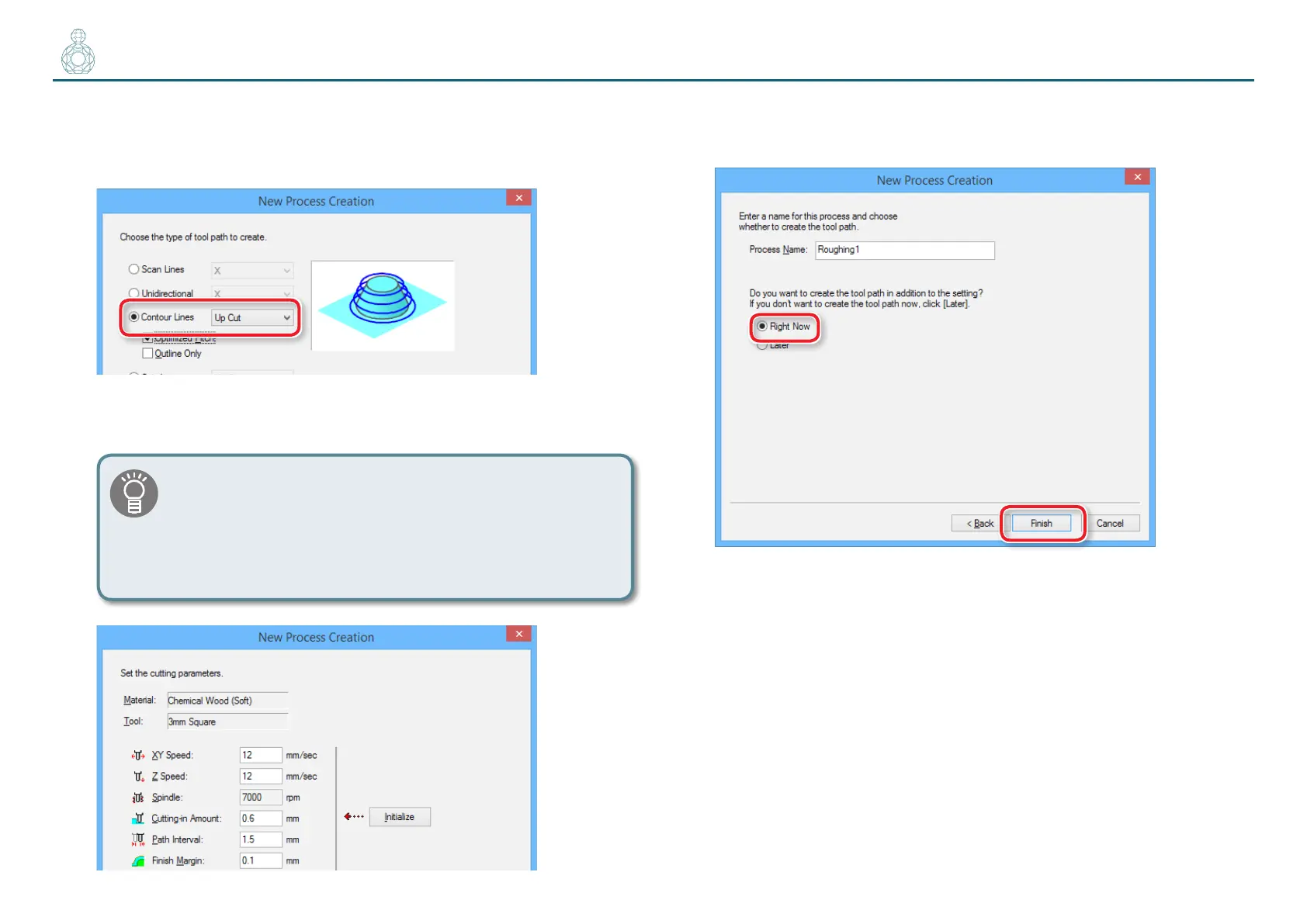
6. Set the tool path.
"“Tool Path” (p. 78)
“Perfume.stl” : [Contour Lines ][Up Cut] [Next]
7. Set the cutting parameters.
“Perfume.stl” : No change [Next]
The appropriate conditions are displayed as the initial values
from the selected cutting tool settings and material settings.
We recommend using the settings as they are (recommended
values) except in situations where you want to make a
particular adjustment.
8. Enter a name for this process and create the tool path.
“Perfume.stl”: “Roughing” [Right Now] [Finish]
The tool path is created. And the process which is created is displayed.



 To Next Page