Jackson User Manual rev 2.2 www.diamondsystems.com Page 43
i. Once the System configuration is done, board will reboot. After rebooting, login with username and
password as set in the previous steps.
10.5 Procedure to convert USB0 as host port:
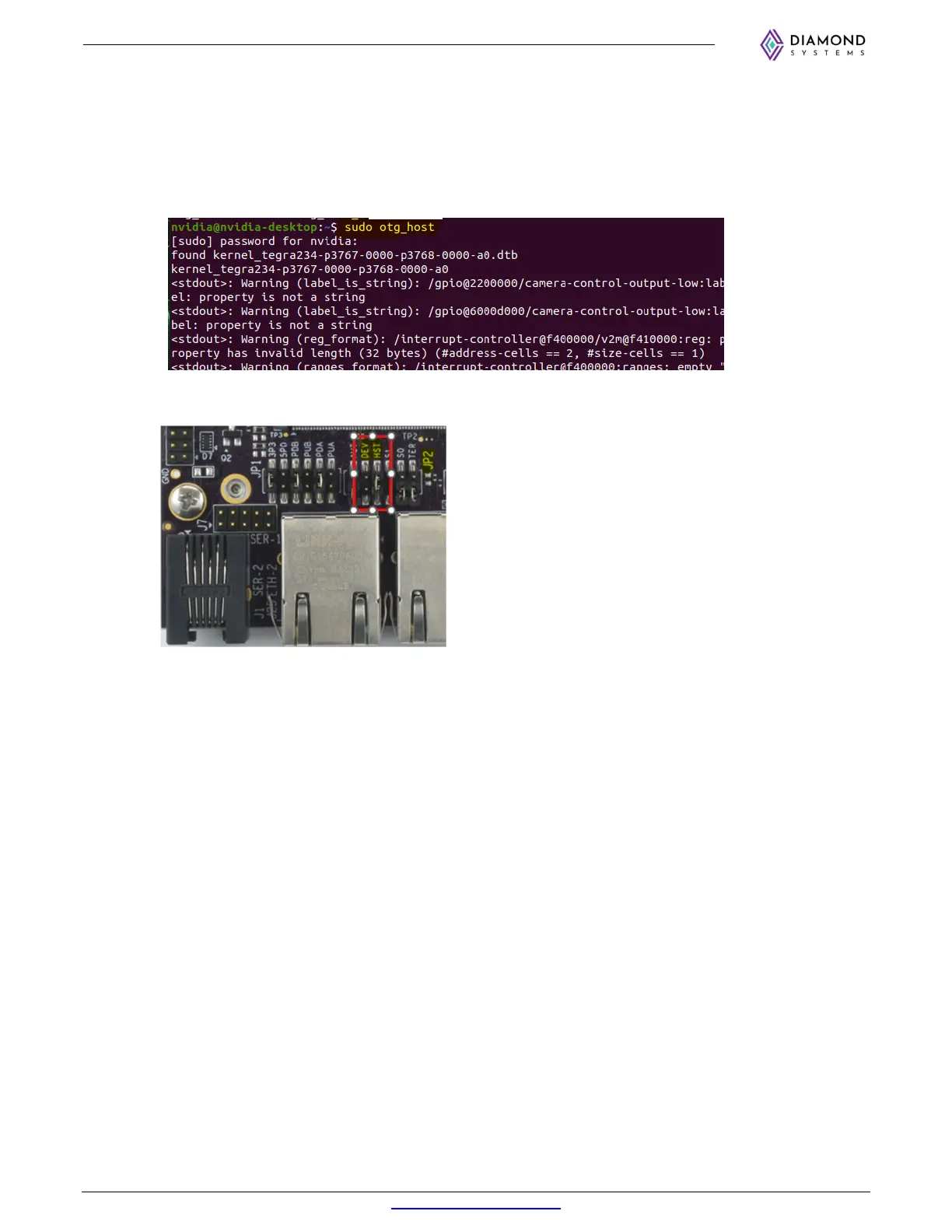
To convert USB0 as host device, execute below commands and reboot to apply changes.
a. Open the terminal and run the command ‘sudo otg_host’.
b. Power off the board.
c. Remove DEV jumper and insert HST jumper on JP2.
Connect the USB mouse to J4 bottom port and power on the board. Check whether USB mouse is
working.



 To Next Page