Jackson User Manual rev 2.2 www.diamondsystems.com Page 51
13.3 Camera Adapter Installation
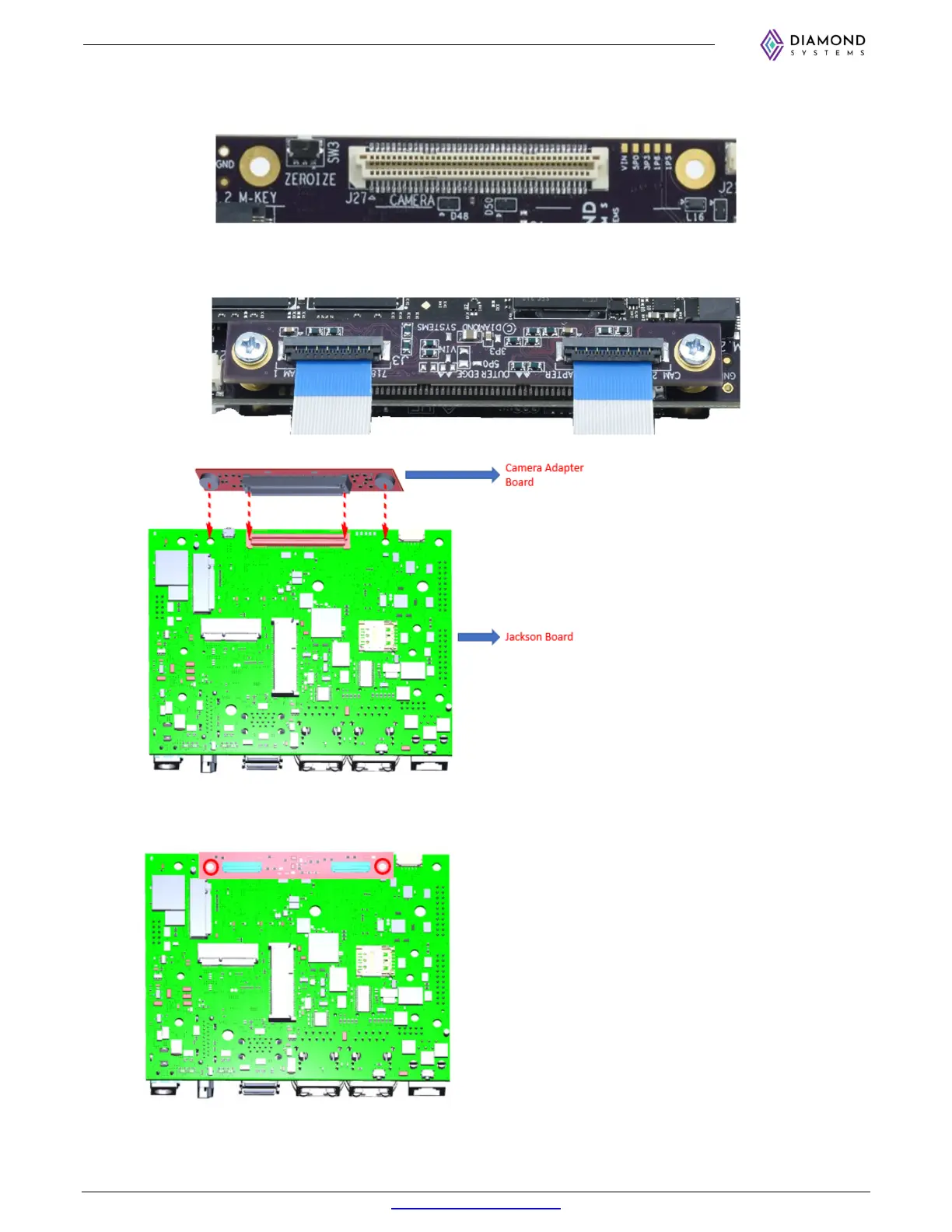
1. Connect Camera adapter board’s B2B connector to connector J27 on the bottom side of Jackson.
Be careful to maintain the correct orientation to avoid damaging one or both connectors! The
adapter board has silkscreen marking indicating the side that faces the Jackson board edge.
2. Install qty 2
M2.53mm
screws
(DSC no.
6811253
) through the mounting holes of camera adapter board
into the spacers on Jackson board as encircled in below image.



 To Next Page