CUBE 30 TOUCH | USER MANUAL
Once the above check has been carried out, replace the paper roll as described below:
1. Remove the old paper roll from the appropriate housing.
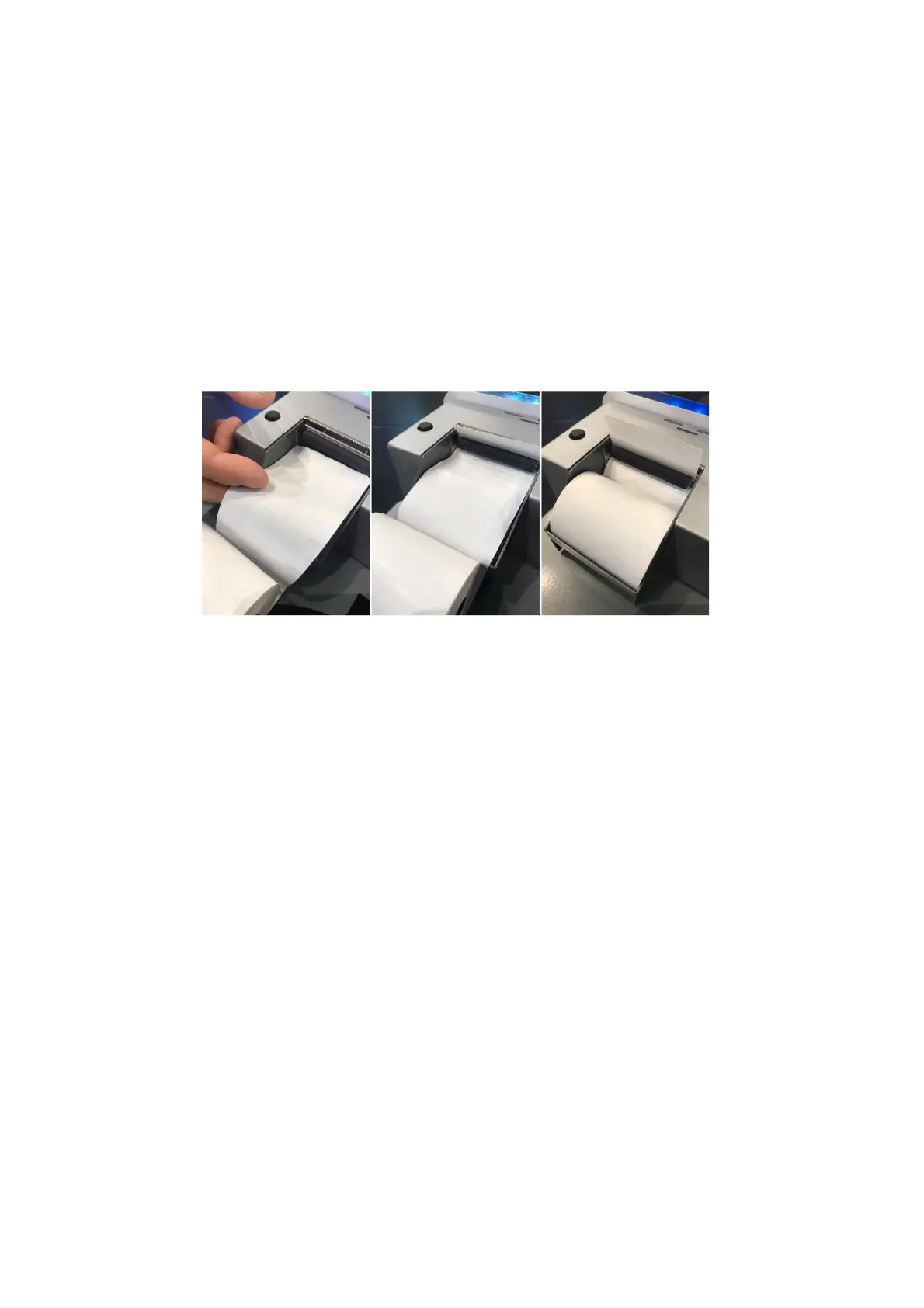
2. Begin the process of inserting the new roll of paper under the black bar of the
printer, as shown in Figure 21:
a. Insert the end of the paper roll under the black bar;
b. Automatic paper feed by the printer;
c. Pull the paper for a few centimeters from the position left by the automatic
feed.
Figure 21
3. Insert the new roll of paper inside the appropriate housing.
The paper roll replacement procedure is complete
Attention: once the paper roll replacement procedure has been completed, check that
the position of the black bar of the printer inside the appropriate housings has remained
the correct one (
Figure 20
). Incorrect position of the black bar (
Figure 19
and
Figure 18
) would
in fact compromise the normal functioning of the printing procedure.



 To Next Page