CUBE 30 TOUCH | USER MANUAL
4.5.4 Inserting a new sample (random access)
During the testing phase, one can insert a new sample by random access at any time.
In this case, it is critical to ensure the sample is carefully and properly mixed
prior to inserting. The CUBE 30 TOUCH does not perform mixing for samples
which are added in the random-access mode.
Random Access procedure:
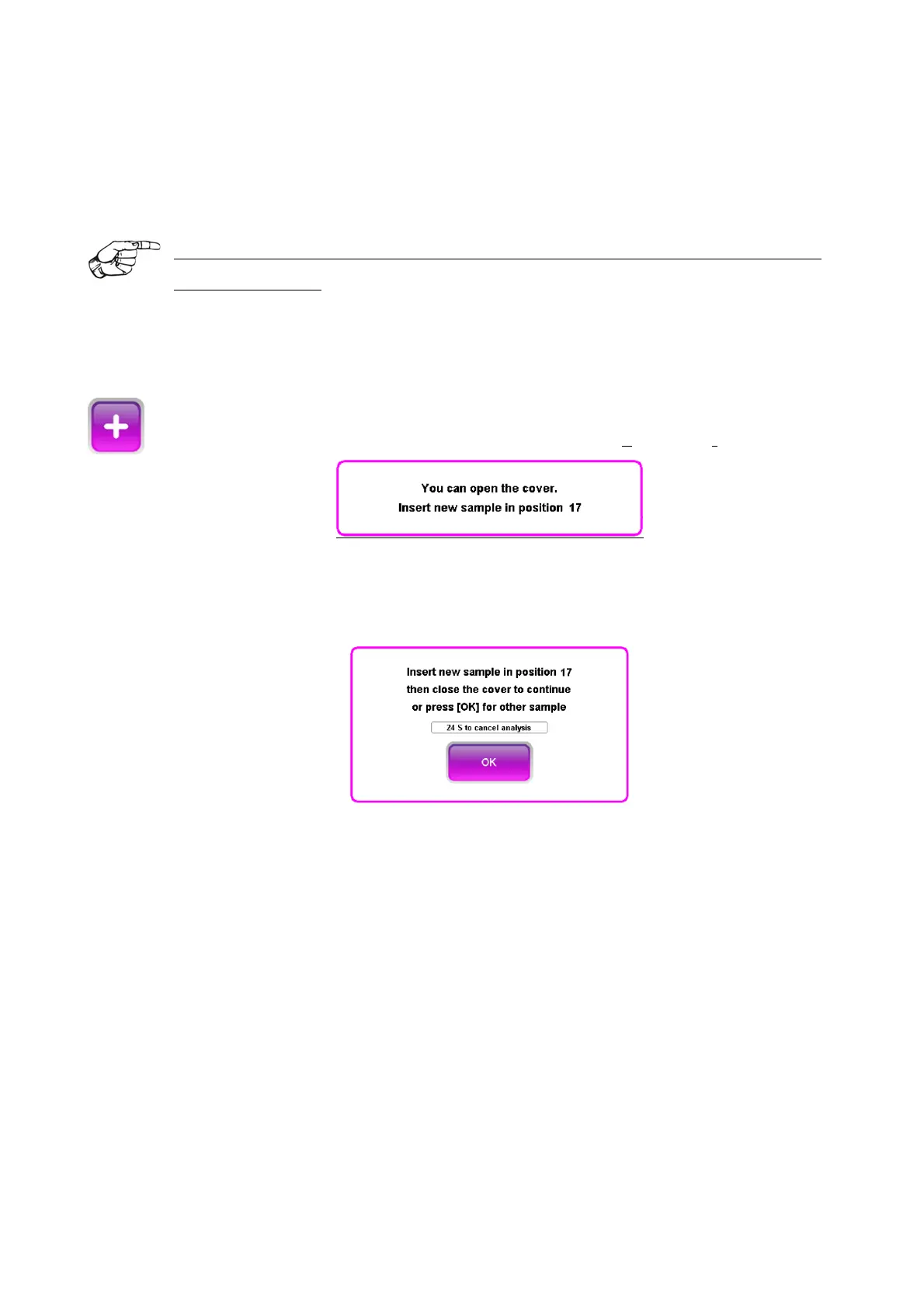
1. Press the Add button.
2. A prompt to authorize opening the lid will display (Figure 39)
Figure 39 – Cover open
3. Open the lid and insert the tube in the position indicated in the prompt which
appears on the screen, example:
Figure 40
4. Close the lid.
Once the sample has been inserted in the correct position, the instrument reads the barcode
and begins processing.
If a sample added, using a Normal tube, has a volume between 1ml and 1.5ml, the first
reading scan will be followed by another scan with lower led lights. This reading will be used
to determine the ESR.
The remaining test time for this sample will be indicated in an individual timer which
corresponds to its position.



 To Next Page