CUBE 30 TOUCH | USER MANUAL
3.9 Printer paper replacement procedure
The following paragraph describes the correct procedure to replace the paper roll in the
thermal printer, on board of CUBE 30 TOUCH instrument.
When red lines appear on the printed receipt, it is time to replace the paper roll.
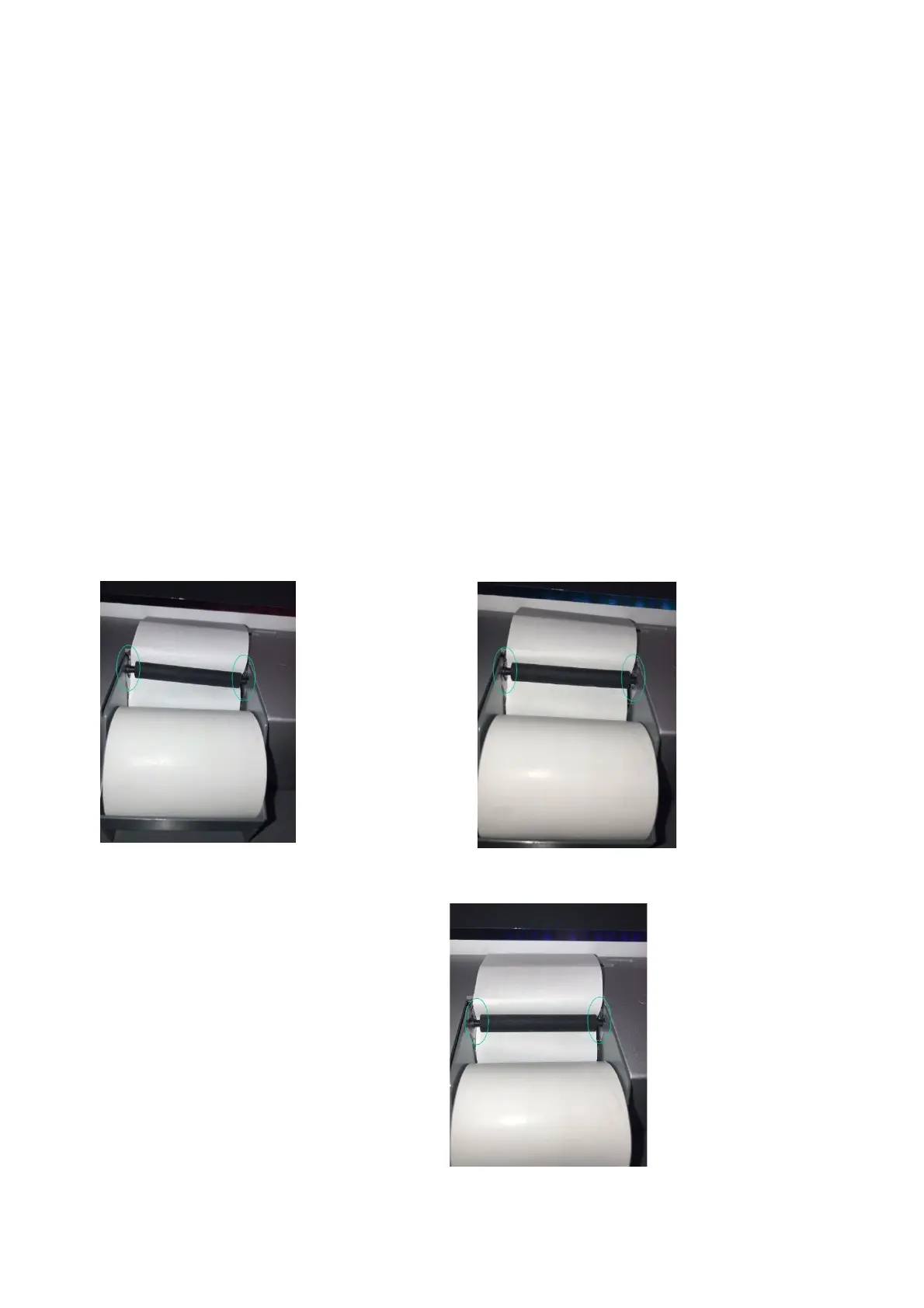
Before proceeding with the replacement of the paper roll, it‘s very important to check
the correct position of the black bar of the printer, under which the roll paper scrolls,
inside the appropriate housing.
If one of the two ends of the black bar is inadvertently moved up from its housing (Figure
19) or if both ends of the black bar are slightly raised from their housing (Figure 18), the
roll paper will be blocked and cannot be removed or inserted. Therefore, always
remember to check that the black bar is completely lowered in both side housings, as
shown in Figure 20.
Figure 20 – Printer paper replacement: correct posotion
Figure 19 - printer paper
replacement: pin off axis
Figure 18 – Printer paper
replacement: roll off axis



 To Next Page