CUBE 30 TOUCH | USER MANUAL
6 Settings
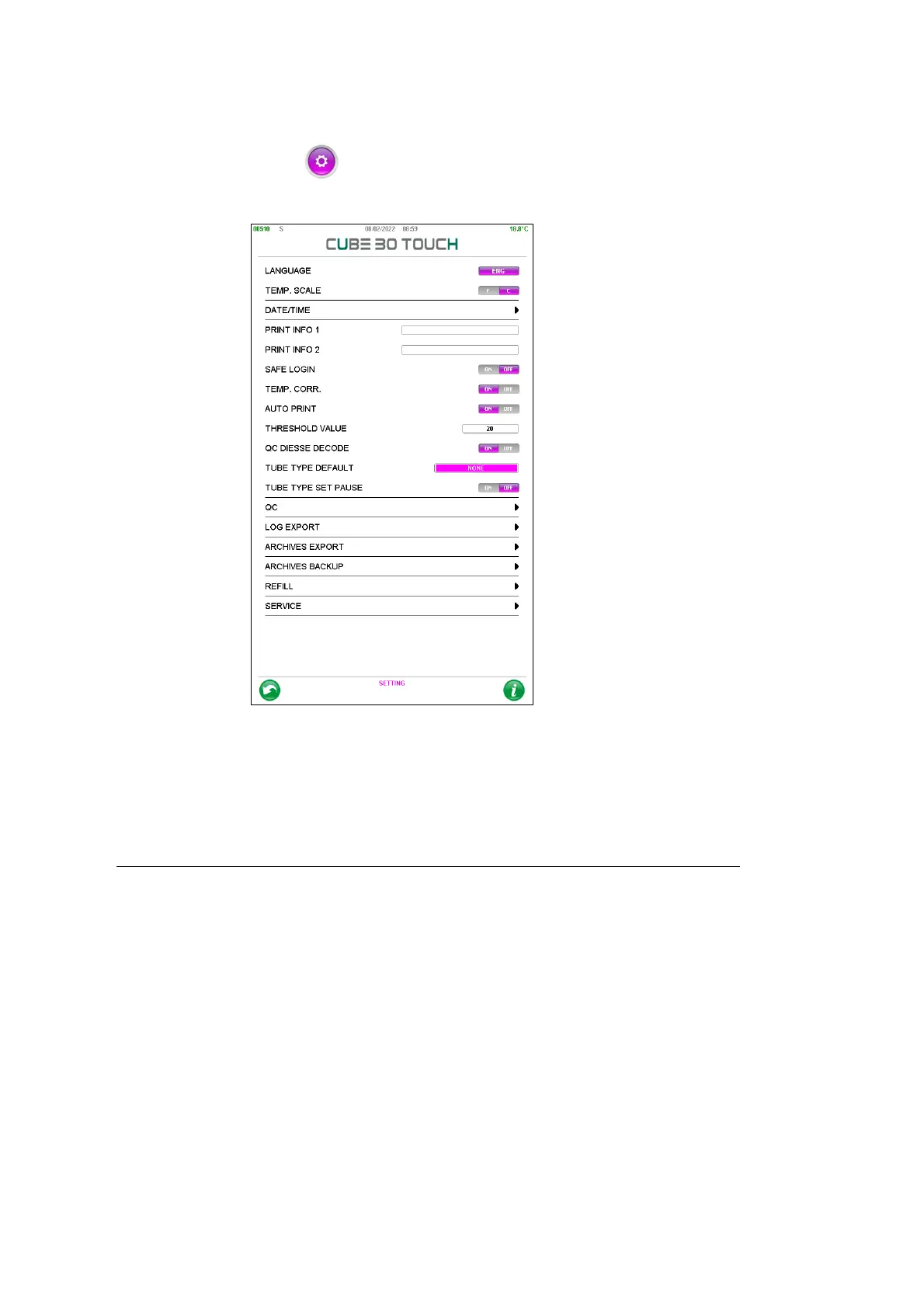
From the setting menu the user can access various functions described on the
following pages:
Figure 56 - Setting
LANGUAGE: Select the language. The languages that can be set on the CUBE 30
TOUCH are: ENG (English), ITA (Italian), DT (German), ES (Spanish), FR (French),
PT(Portuguese).
It is not necessary to restart the instrument after changing the language.
TEMPERATURE SCALE: Set the temperature scale in degrees Celsius or Fahrenheit.
DATE/TIME: Set the date and time and format.
PRINT INFO 1 e 2: Print customization, allows you to add up to two lines of information
in the print header.
SAFE LOGIN: Enable or disable access with user ID and password (see chapter 6).
RESET ALL USERS: deletes all previously registered users
USER MANAGEMENT: allows the administrator user to manage other users
TEMPERATURE CORRECTION: Enable or disable Temperature Correction.
AUTO PRINT: disable the automatic printing of the results at the end of each cycle



 To Next Page