CUBE 30 TOUCH | USER MANUAL
• Filter by date: in the pop-up window the user can write the two date
extremes in which to search for the samples. The information and operations
already described above can be accessible in the filtered archive by date.
5.1.2 Samples selection
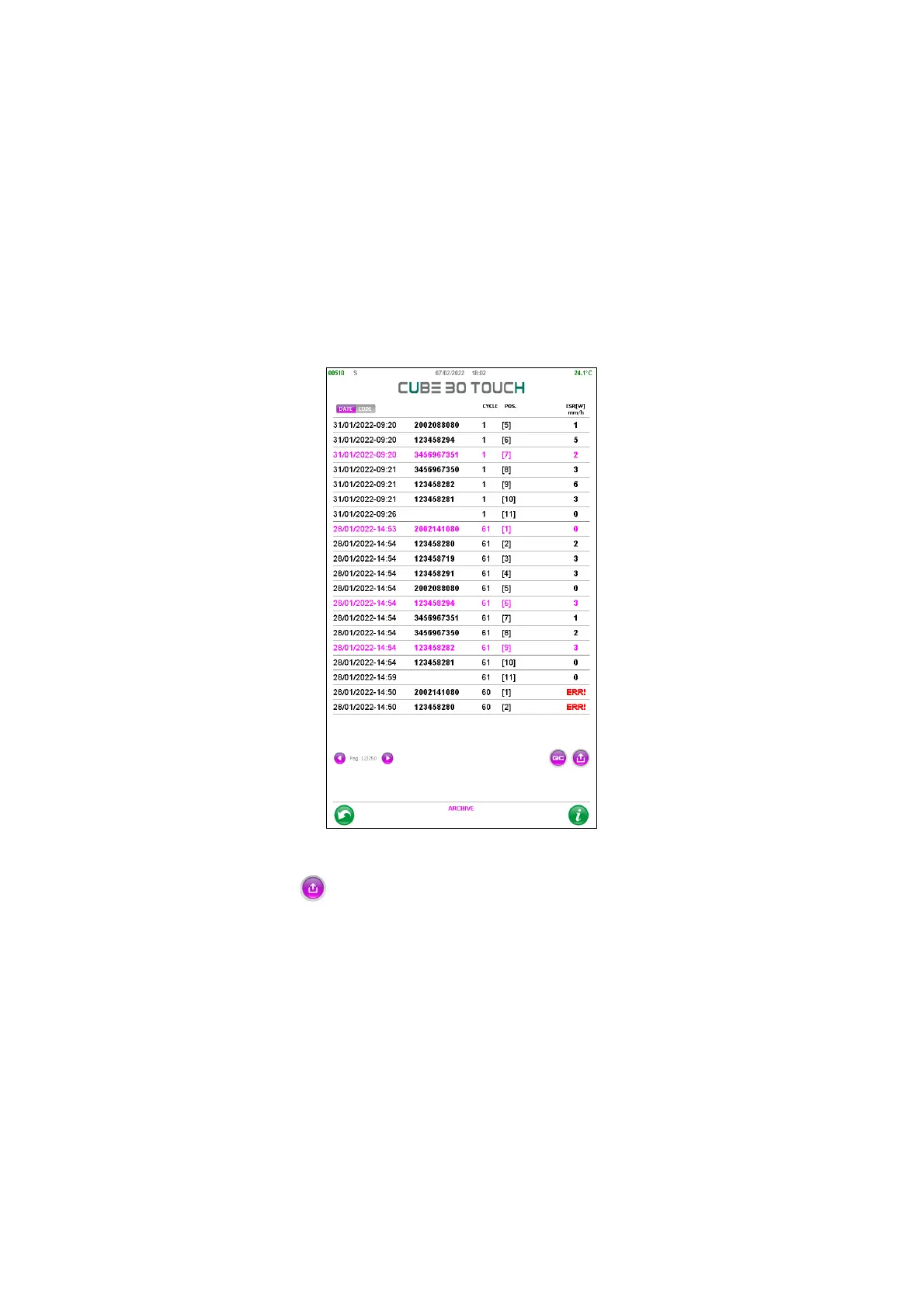
By pressing on the sample records it is possible to select them: each selected sample
will have all the fields in purple. (Figure 54)
Figure 54 - Selection of samples in the archive
With the ‘Export’ button it is possible:
• Send the selected samples to host
• Print the results
• Delete the selected samples
By pressing and holding a sample, it is possible to access the information details window
(Figure 55)



 To Next Page