CUBE 30 TOUCH | USER MANUAL
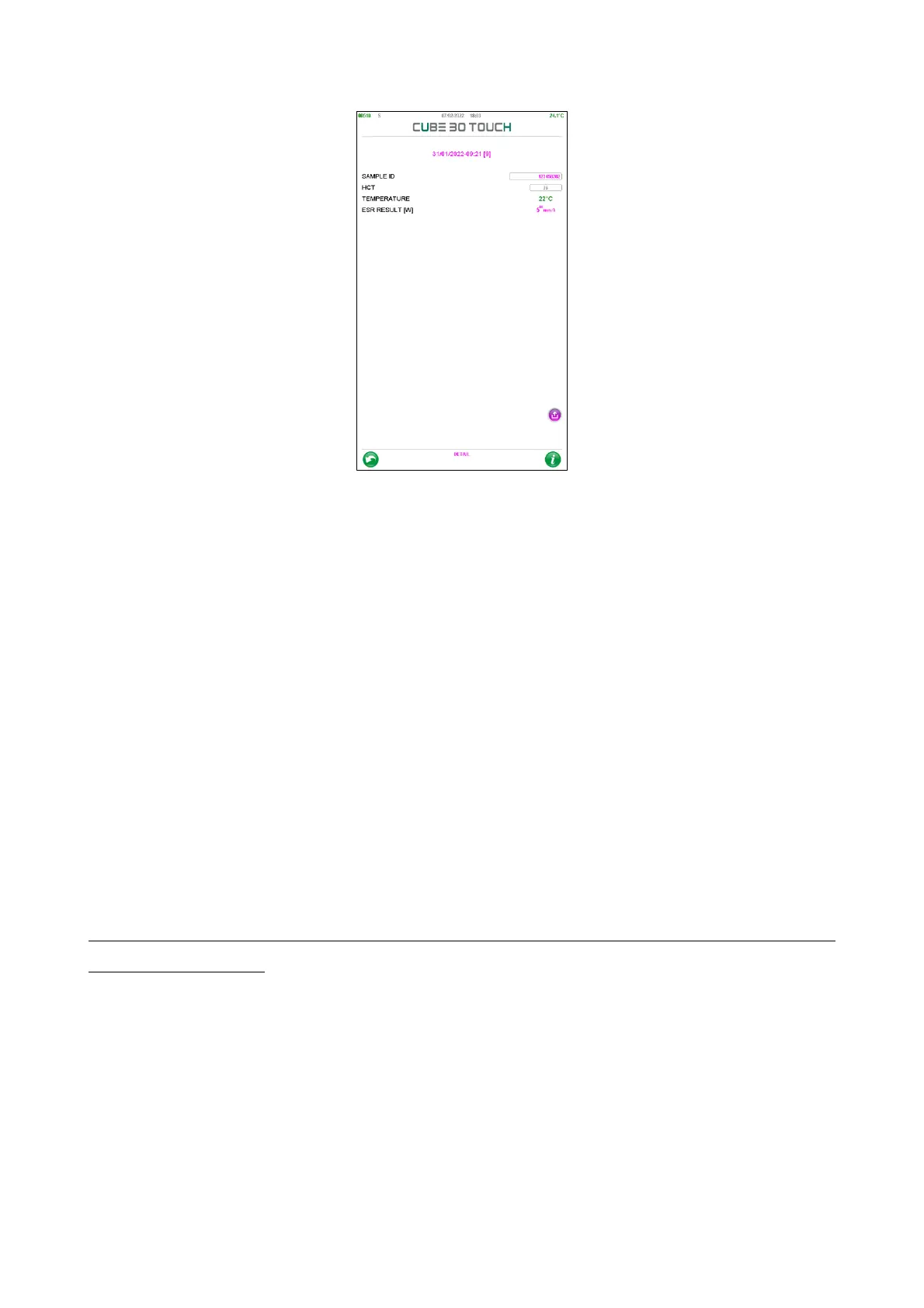
Figure 55 - Sample detail
The visible information is:
• Sample ID, which is the sample barcode, if present. If the barcode is absent, the user
can add it by selecting the empty box and manually typing the code through the
keyboard displayed on the screen or using the appropriately connected external
barcode reader. When the 'BACK' button is pressed, confirmation of the record change
is requested.
• HCT, hematocrit value. The CUBE 30 TOUCH instrument corrects the ESR value based
on the hematocrit value, when present, according to the Fabry formula (correction
limited to values of 15% < HCT < 40%).
The HCT value can be entered manually, by selecting the white box and typing the value
or it is filled automatically when the instrument is connected to the LIS (Laboratory
Information System) with the ASTM host protocol, if the HCT sending function is enabled
(for details refer to the Service Manual or contact the Technical Assistance).
When the ESR value is correct with the hematocrit value, the letter 'H' is present at the
top of the ESR value.
• Temperature, the analysis temperature value is displayed: green if the temperature
correction was active, red if the temperature correction was deactivated. If an error
occurs, the temperature is not displayed.
• ESR RESULT [W / P], value of the ESR result. The letter in square brackets provides the
operator with an indication of the reference method used for the calculation of the ESR.
If the reference method is changed, the ESR value is recalculated, and the method used
is indicated.



 To Next Page