CUBE 30 TOUCH | USER MANUAL
4.5.5 Results
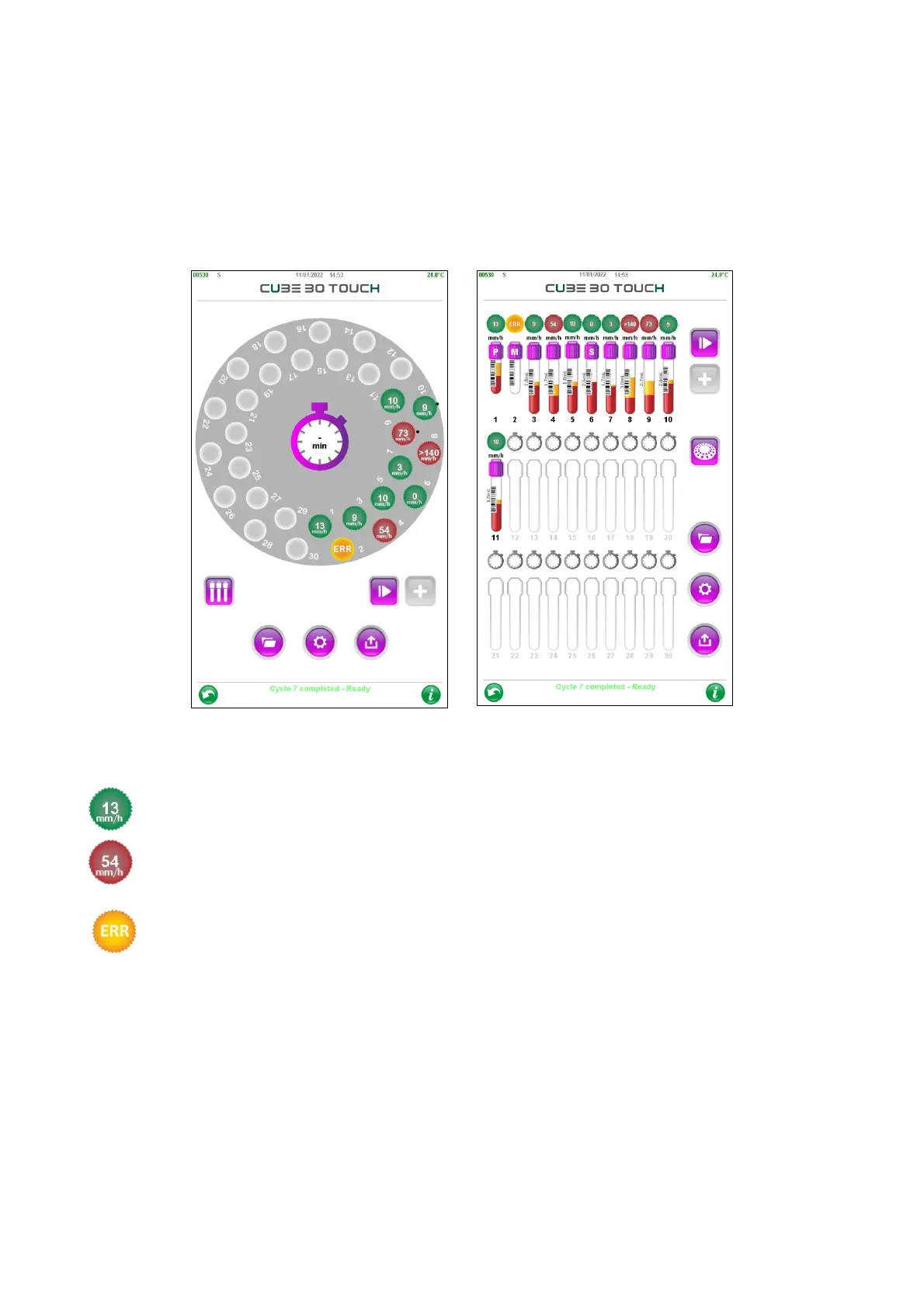
After the test, the instrument displays the results for each sample in mm/hr, in
accordance with the classical Westergren method (W), the default setting.
Simultaneously, the instrument provides an automatic printout and sends results to
the LIS, if applicable.
Figure 43 - Results reading
ESR result is within the normal range
ESR result is beyond the established normal range.
In the event of errors, the sample should be orange-colored and marked 'ERR'.
Press ERR with your finger to get an indication of the error number (see chapter
7 Troubleshooting). The ‘HR’ string (Host Rejected) means that the sample was rejected
by the host computer because it is not in the list of samples that needed to be processed
for the ESR test.



 To Next Page