CUBE 30 TOUCH | USER MANUAL
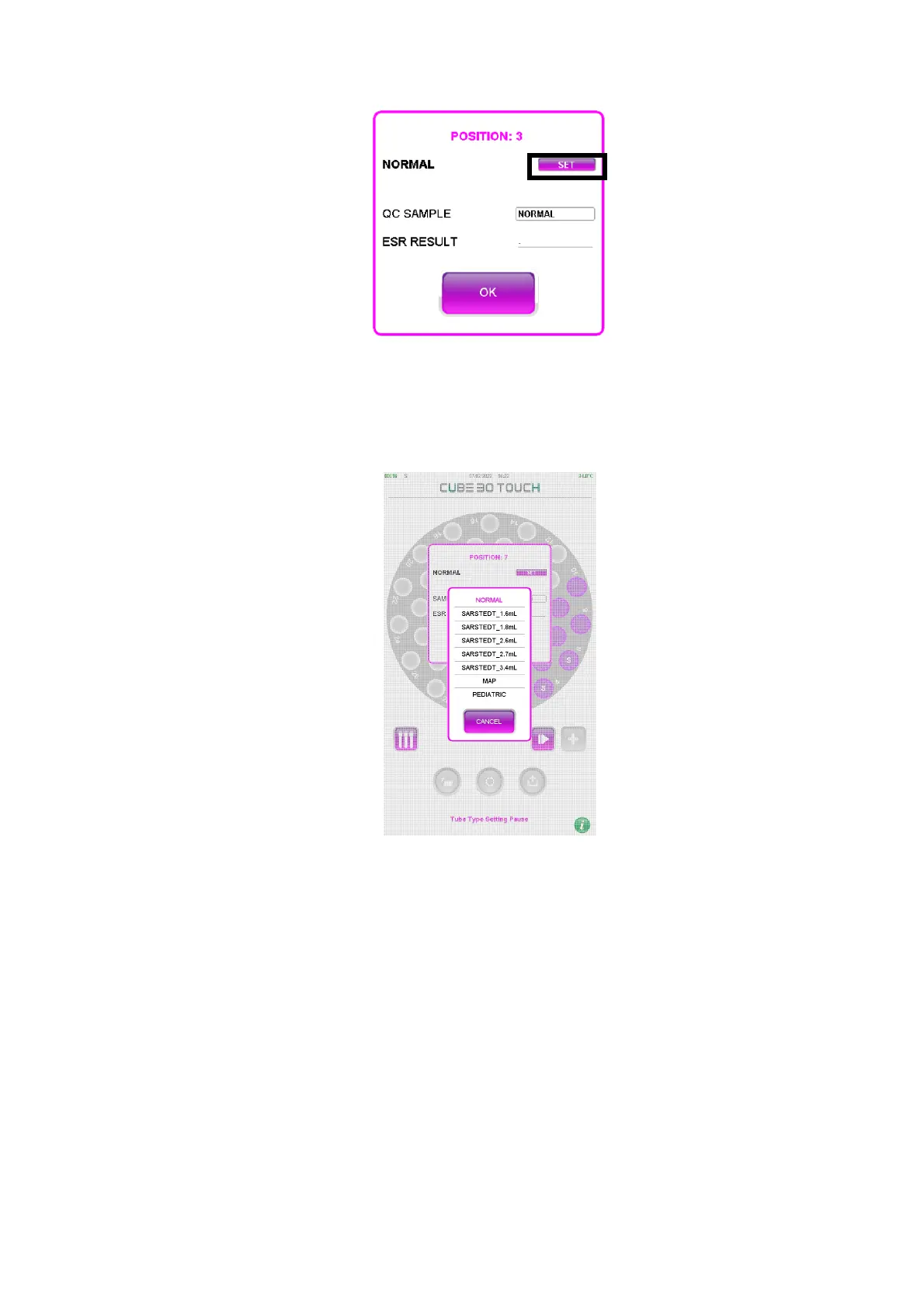
Figure 37 - Sample detail
2) Select the ‘SET’ button (black square in Figure 37)
3) Choose the type of tube from the menu or press the ‘CANCEL’ button (Figure 38)
Figure 38 - Menu choice type of tube
4) Confirm with the ‘OK’ button (Figure 37)
The confirmation message appears again on the screen (Figure 36): press the ‘OK’
button to proceed with the analysis, press the ‘CANCEL’ button to make a new change.
If no selection is made within 15 seconds, the tube types will automatically be
confirmed and the instrument will proceed with sample analysis.
The type of tube can also be selected manually during the scanning phase of the plate:
by selecting the position of a sample, the window of Figure 37 will be displayed.
The tube type can only be changed at this stage. The sample information window can
still be displayed but the 'SET' button cannot be selected.



 To Next Page