PULSE MX
40
Manual cue mode:
In this mode, it is possible to associate a single cue to the controller (Fixed mode) or up to 24 dierent
cues organized in as many banks (mode One for each bank).
In Manual cue mode the slider controls the cross-fade between the controller’s cue and the playback
processing result; in practice, when the slider is at zero, the controller cannot give any input; if the
slider is at 100%, the controller’s cue is transmitted; in intermediate cases, the actual contribution of
the controller depends on how the controller cue has been saved:
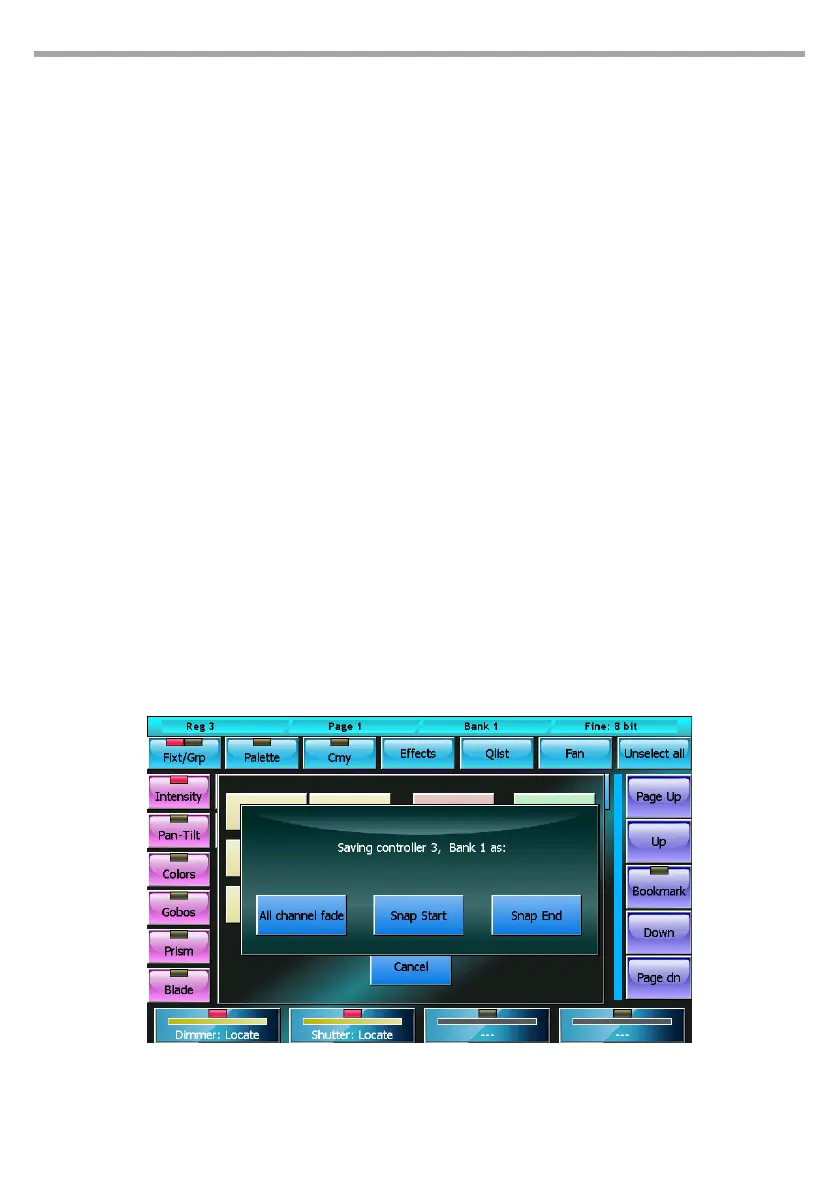
• All channel fade: the nal value is the linear combination between the value of the controller and
the result of the processing of the cues: the closer the slider is to 100%, the greater the inuence
is of the controller and the lower the cue input and vice versa (linear path).
• Snap Start: channels which have path = Linear follow the All channel fade criteria, while to chan-
nels with path = Snap_start or Snap_end the following criteria is applied: if the slider is 0, the
value of the playback cues appears (the controller gives no input); if the slider is above 0, the
controller value appears.
• Snap End: the channels which have path = Linear follow the All channel fade criteria, while the
channels with path = Snap_start or Snap_end the following criteria is applied: If the slider is lower
than 100%, the value of the playback cues appears (the controller gives no input); if the slider is
equal to 100%, the value of the controller appears.
Saving a manual cue:
To save a cue in a controller, press Store + the ash of the controller (press and hold the Store key
while pressing the ash key on the controller).
Cues can be saved in 3 dierent ways: All channel fade, Snap Start, or Snap end.
When you save, the console allows you to assign a reminder tag to the controller; although you can
enter up to 30 characters, due to space constraints, only the rst 10 appear on the alphanumeric
console display on the controller.
IMPORTANT: The manual cue does not support eects; potential eects in the editor will not be saved.
Save controller: select mode Fig.34



 To Next Page