PULSE MX
58
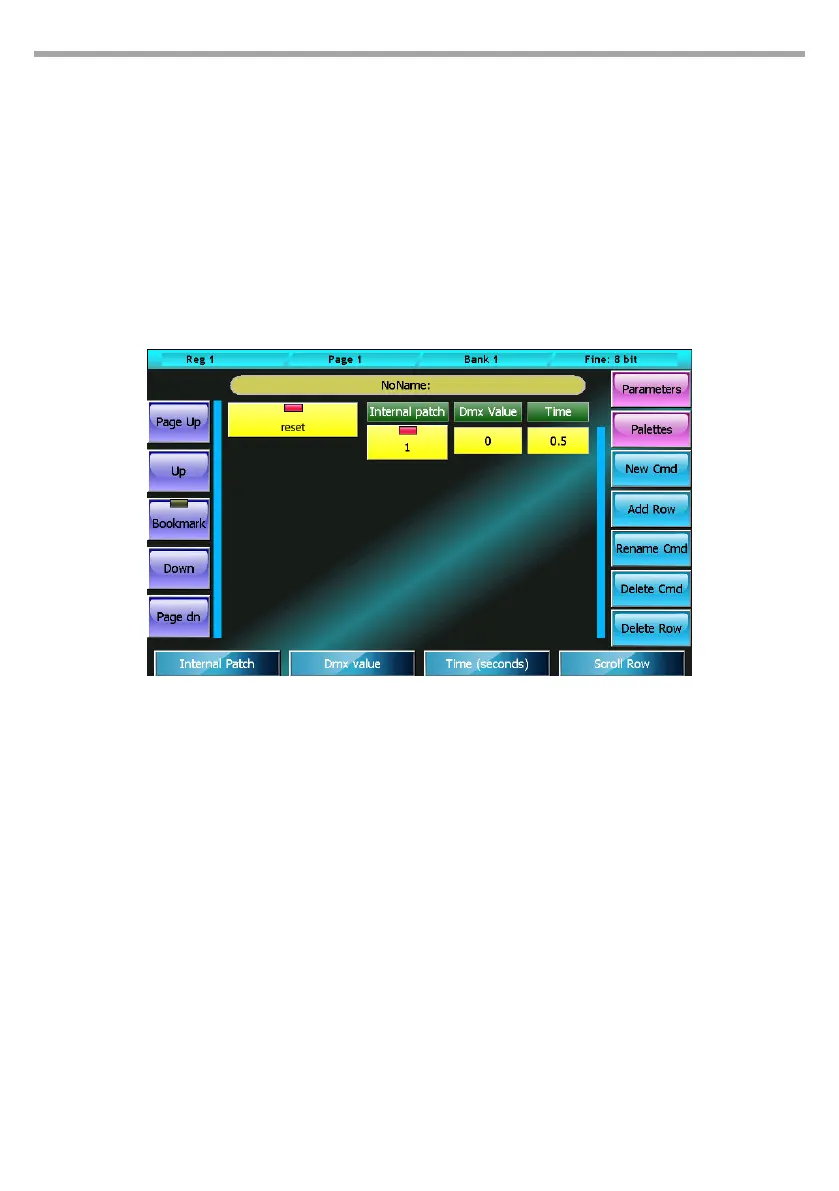
Commands window
Once the parameters have been inserted, by pressing the Commands button it possible to insert the
xture commands such as Lamp-on Lamp-o, Motor-reset, etc.
Pressing the New Cmd button allows to add a new command to the list, which at the beginning will be
empty, of course. The command’s values are set using the wheels:
• Internal patch: DMX address for the output of the command value
• DMX value: value to output
• Time: time (in seconds) for which the value has to remain constant during output
More complex commands can be added by inserting more rows of values through the Add row button.
The window includes several buttons for editing data:
New Cmd:
Allows to add a new command
Add Row:
Allows to add a new row of values to the selected command
Rename Cmd:
Opens the digital keyboard to rename the selected command
Delete Cmd:
Completely deletes, after asking to conrm, the selected command
Delete Row:
Completely deletes, after asking to conrm, the selected row
Commands window Fig.49



 To Next Page