TalkMasterFOCUSAdminConsoleReferenceManual
54
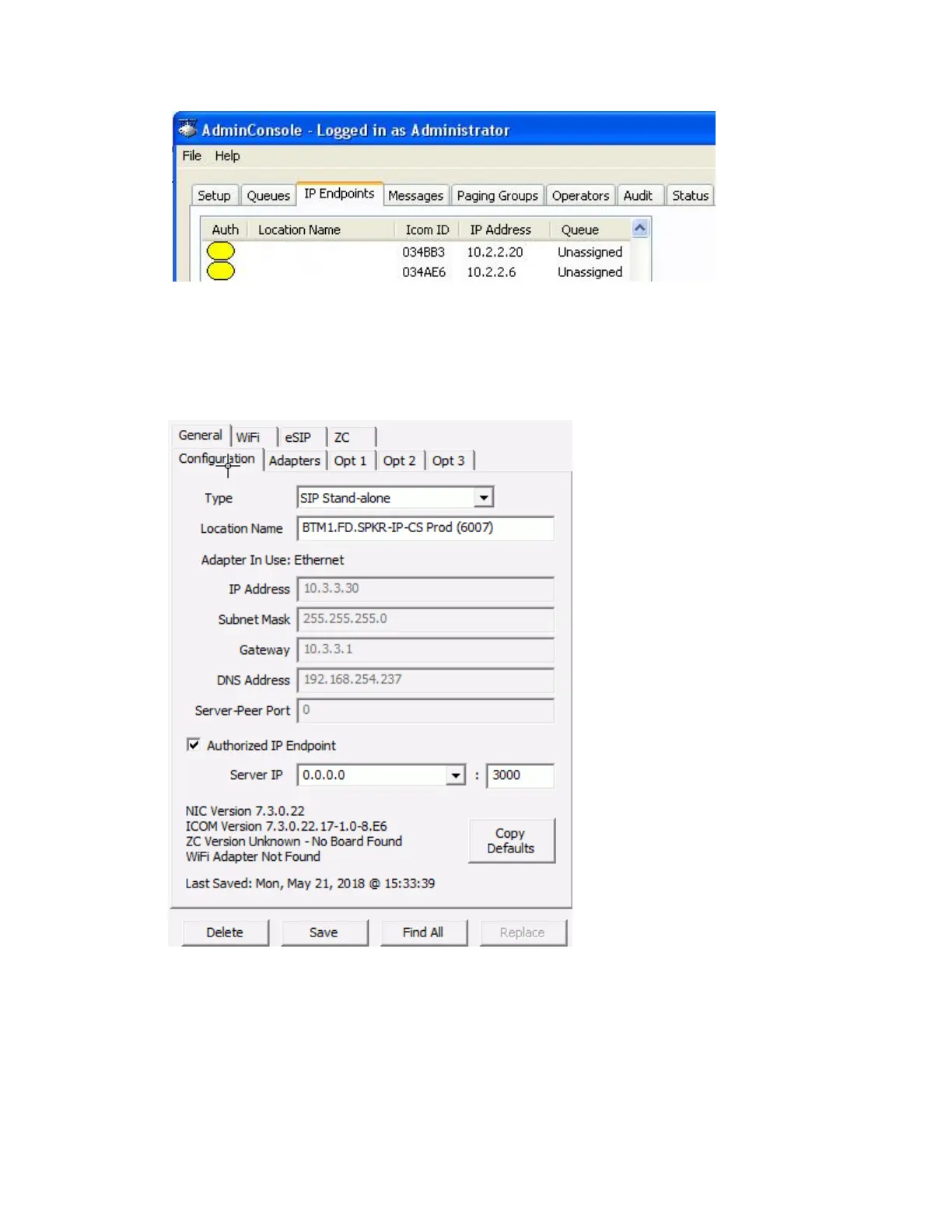
The third step is to configure each IP Endpoint:
Select the IP Endpoint to be updated by clicking on it.
Select the Configuration sub tab:
Press the Copy Defaults button at the bottom of the right hand pane to copy the IP
Endpoint and eSIP default values.
Optionally, enter a Location Name. This will only be displayed in the Administrator
Console. The name that is associated with the extension defined in the SIP Server will
display on phones during a call
If static IP Addresses are being assigned to the endpoints, enter the IP Address, Subnet
Mask and Gateway



 To Next Page