DWG2000E/F/G GSM/CDMA VoIP Gateway User Manual
_______________________________________________________________________________
Shenzhen Dinstar Technologies Co., Ltd.
9
2. Installation Guide
This chapter mainly introduces DWG2000E hardware installation as example and connection
of device.
Tips:The installation steps are suitable for DWG2000F/G serials gateway also.
2.1 Installation Notice
DWG2000E-4/8 G/C adapts 12VDC. Power adapter, make sure AC power supply grounded
well to ensure the reliability and stability;
Notes: incorrect power connection may damage power adapter and device.
DWG2000E-4/8 G/C provides standard RJ45 with 10Mbps or 100Mbps interfaces.
For Wireless part, make sure antennas connecting well on device. Inserting SIM cards and
GSM channels should work properly.
2.2 Installation Procedure
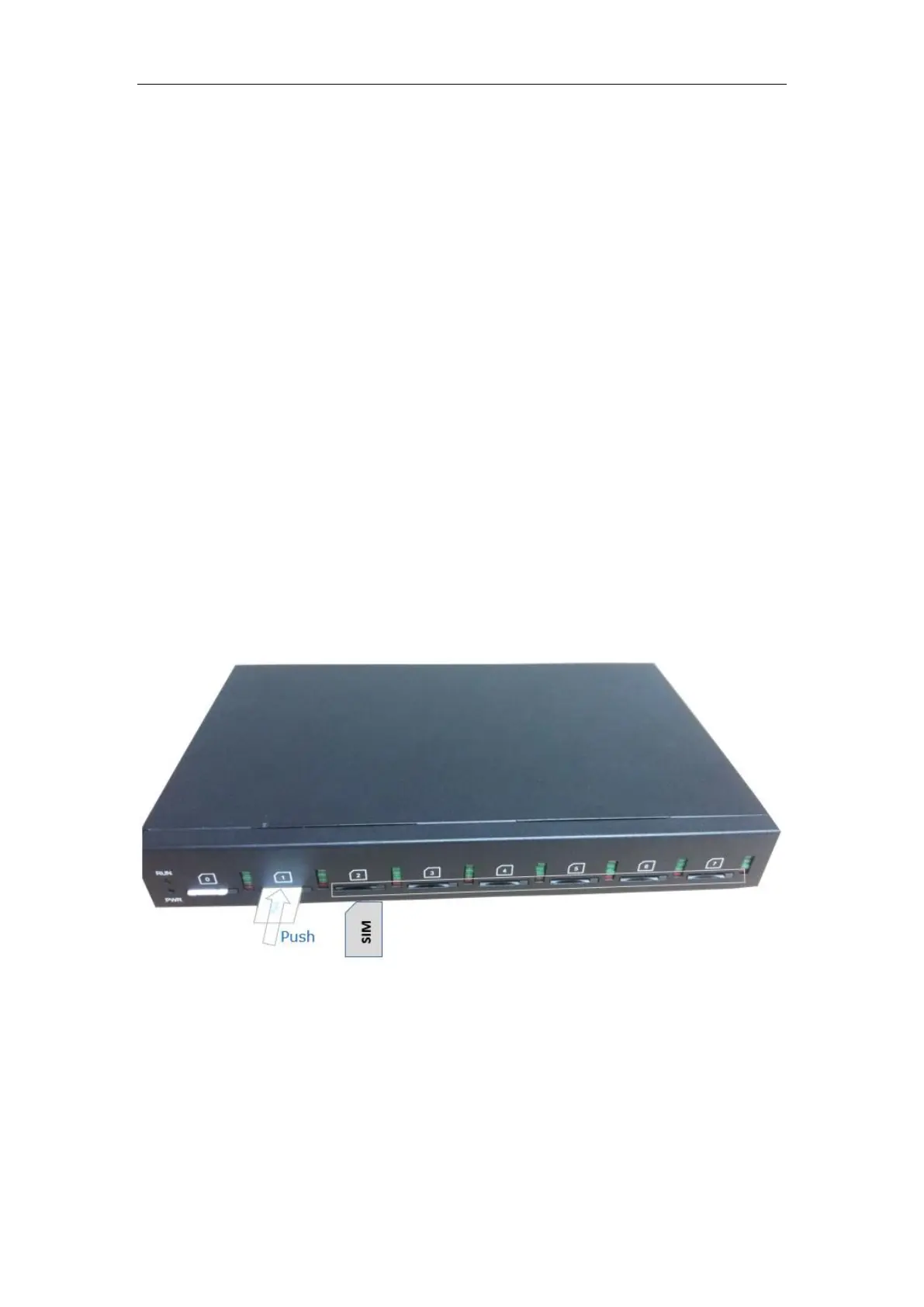
2.2.1 Install SIM Card
Figure 2-2-1 SIM Card installation
2.2.2 Antenna Installation
Figure 2-2-4 Antenna Installation














 To Next Page