DWG2000E/F/G GSM/CDMA VoIP Gateway User Manual
_______________________________________________________________________________
Shenzhen Dinstar Technologies Co., Ltd.
19
Statistics the number of calls in this port
Statistics call total time
Statistics response times
Call Failed Caused by SIP
Statistics cause of call failure from SIP, include:canceled/
timeout/ not allowed/ Negotiation failed
Call Failed Caused by
GSM
Statistics cause of call failure from GSM, include: Busy/ no
answer/ no dialtone/ no carrier
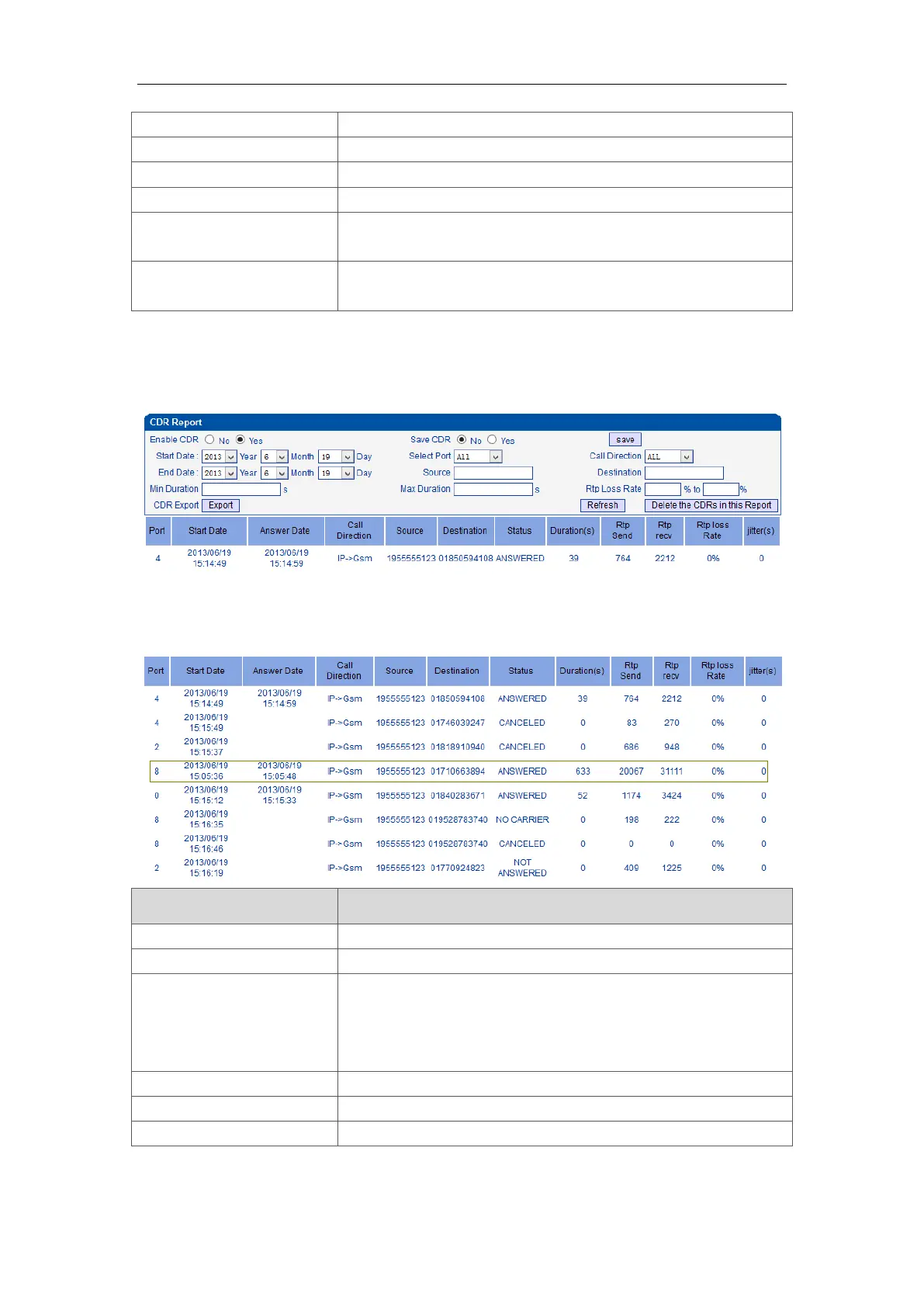
4.4.5 CDR Report
Figure 4-4-5 CDR Report
It is support 10000 CDRs on gateway. The CDRs will lost after reboot while save CDR set to
No. To make the device works in good performance,we are strongly recomand to set ’Save
CDR’ to No.
start and end time of calls
outbound calls from softswitch/IPPBX to mobile network
GSM to IP:
incoming calls from mobile network to IPPBX/ Softswitch
Answered: the call was established successful














 To Next Page