DWG2000E/F/G GSM/CDMA VoIP Gateway User Manual
_______________________________________________________________________________
Shenzhen Dinstar Technologies Co., Ltd.
49
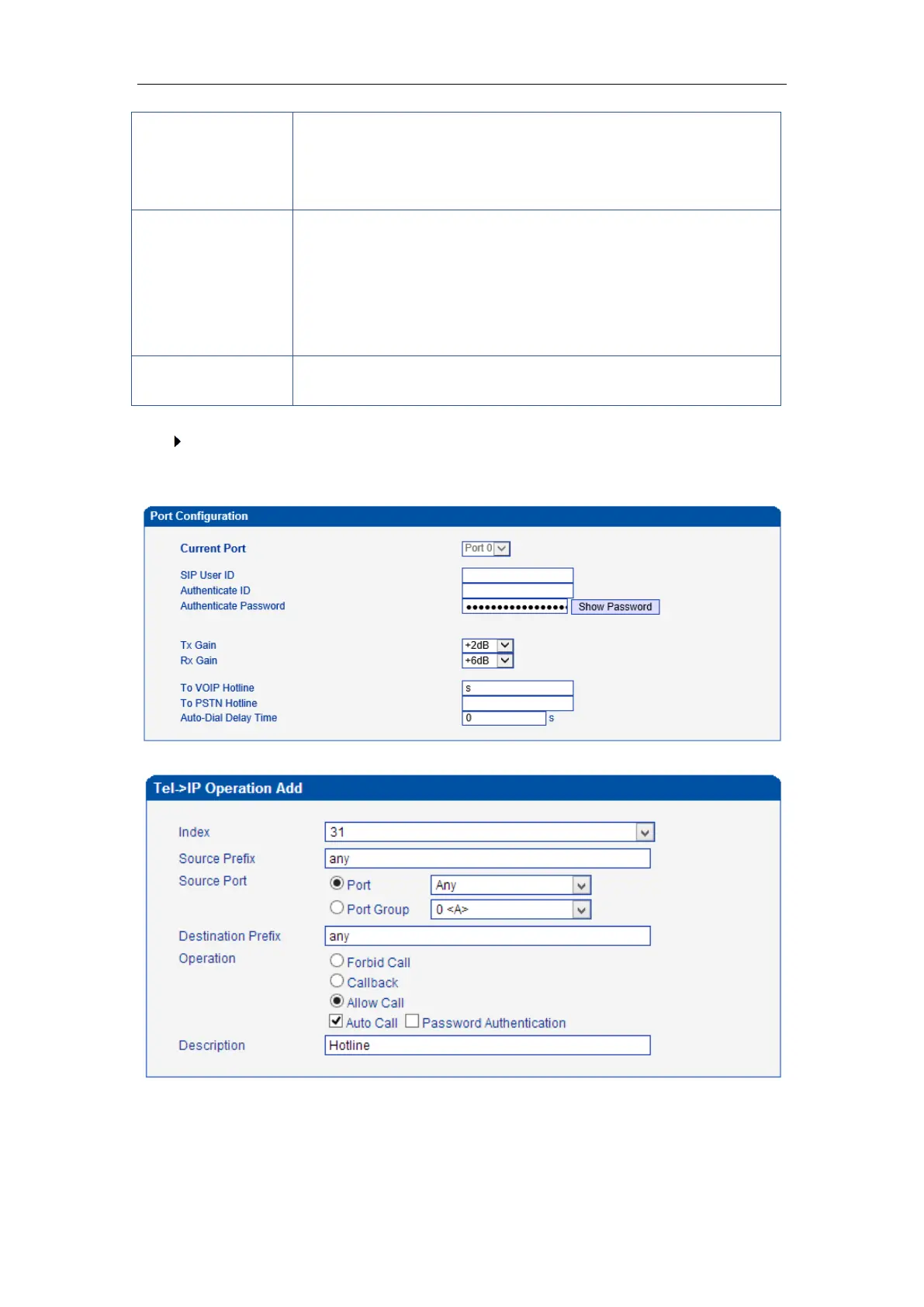
How to route incoming call to DID or IVR automatically?
Step1: System Configuration-> Port Configuration to configure VoIP hotline number,
this hotline number can be DIDs, access code and extension etc.
Step2: Operation-> Tel->IP Operation to add a new rule:
prefix indicates the connected number
Any: include anonymous, 0xxxx, 1[2-9]xxxx etc.
0xxxx: consist of some digits such as 015,08,09
1[3-8]6:consist of some prefix, include 136,146,156,166,176, 186
Its specifies number analysis rule
Forbid call
Call Back
Allow call
Auto call
Password authenticate
It describes the route for the ease of identification. Its value is
character string














 To Next Page