Chapter 3
Page 46
Using the System
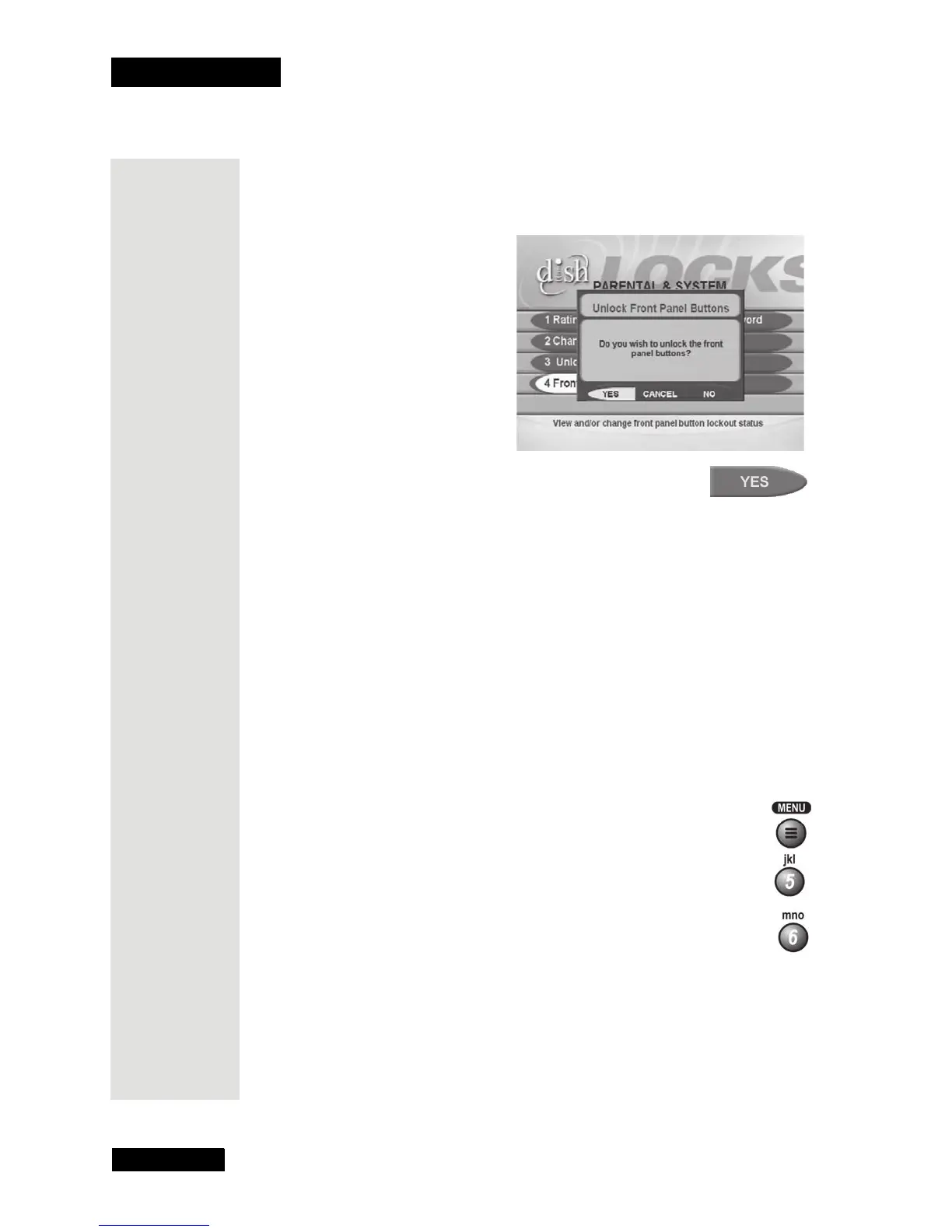
To unlock the receiver front panel buttons:
1. Press MENU and then select the
Locks menu.
2. Select the
Front Panel
Lock
option. The Unlock
Front Panel Buttons popup
displays.
3. Select the
Yes option.
Lock or Unlock All Pay Per View Programs
Note: This locks all pay per view channels. You can lock one or more
channel(s) with channel locks or rating code locks.
To lock all pay per view programs:
1. Press MENU and then select the
Locks menu.
2. Select the
Lock PPV option.
3. You must lock the receiver to apply the lock you just set. Please see Lock
or Unlock the Receiver on page 47.
To unlock all pay per view programs, here’s what to do:
1. Press MENU and then select the
Locks menu.
2. Select the
Unlock PPV option.
Tip: You can lock
single adult
channels or all
adult channels.
Just remember
that you will
need the
password to
unlock them.











 To Next Page