Chapter 3
Page 74
Using the System
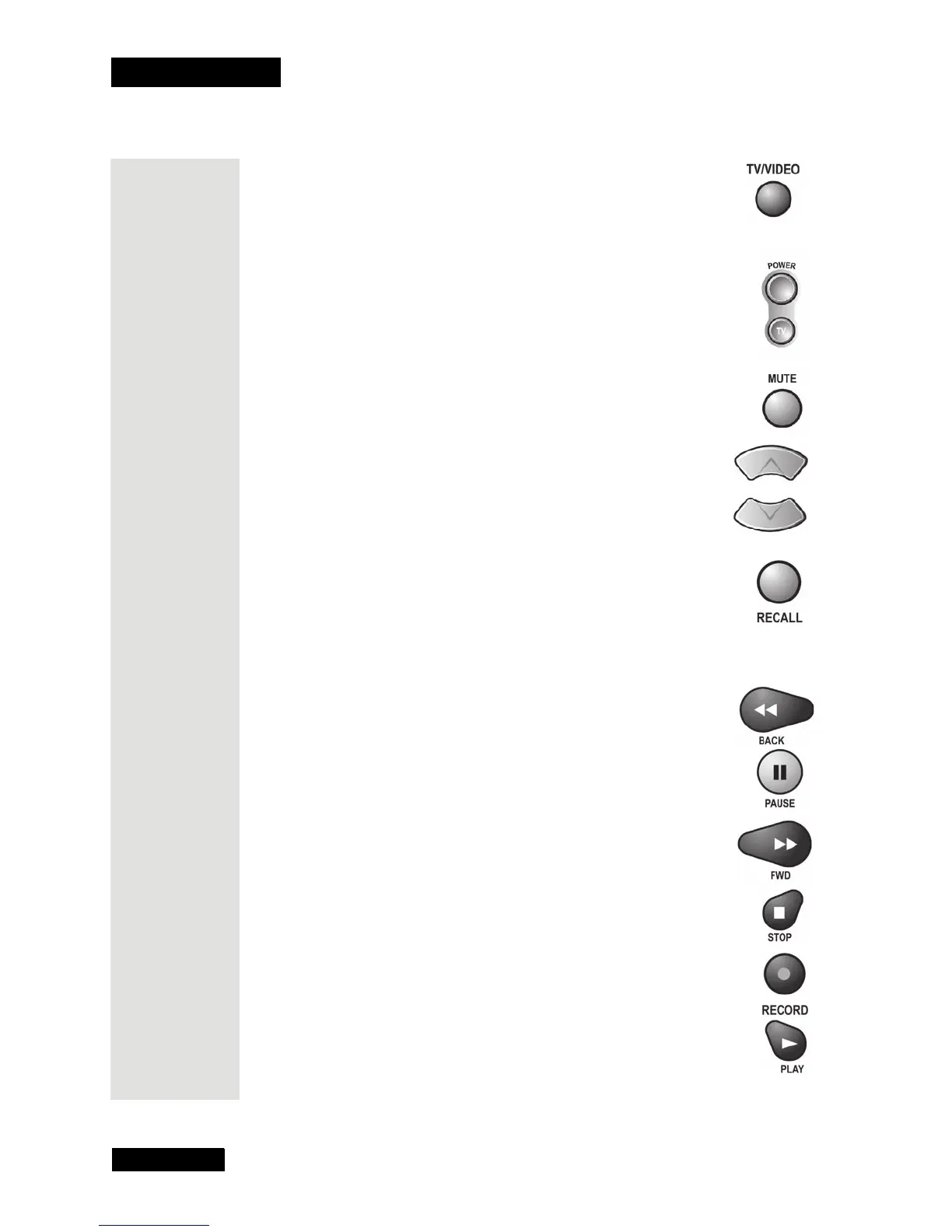
TV/Video Button
Use this button to switch the VCR between its TV mode and its
VCR mode (please see your VCR user’s manual for information).
Power Button
Press the blank POWER button to turn the VCR on or off.
Mute Button
Press this button to turn the TV sound on or off.
Up/Down Arrow Buttons
Use these buttons to change channels on the VCR.
Note: If you are using the remote control in Limited Mode, the
TV will not change channels.
Recall Button
Press this button to go back to the last VCR channel you used.
Press it again to switch between the last two VCR channels you
used.
VCR Buttons
• Press the BACK button to rewind a videotape.
• Press the PAUSE button to pause a videotape. Press this
button or the PLAY button to go back to play the tape.
• Press the FWD (“forward”) button to forward a videotape.
• Press the STOP button to stop playing or recording on a
videotape.
• Press the RECORD button to record on a videotape.
• Press the PLAY button to play or to go back to play a
videotape.











 To Next Page