Initial Setup & Basic Operations DTG M Series Maintenance Manual
5.6.8 Flushing the printer
If the printer is to be left idle for a long period of time (1 – 2 weeks), then you should flush the
system with Cleaning Fluid.
No tools are required for this procedure. Use protective gloves to avoid stained fingers. Use
recommended cleaning fluid ONLY.
The syringe & tube adapter kit (from maintenance kit), and up to 3 litres of cleaning fluid will be
required for this process.
(1) Discharge ink from ink lines
Perform CMYK ink discharge operation to discharge ink entirely from the ink paths: 1.
Ensure that the printer is switched off 3.5.2 "Switching the Printer OFF." p.31
Loosen the lid from one of the colour ink containers to release the pressure
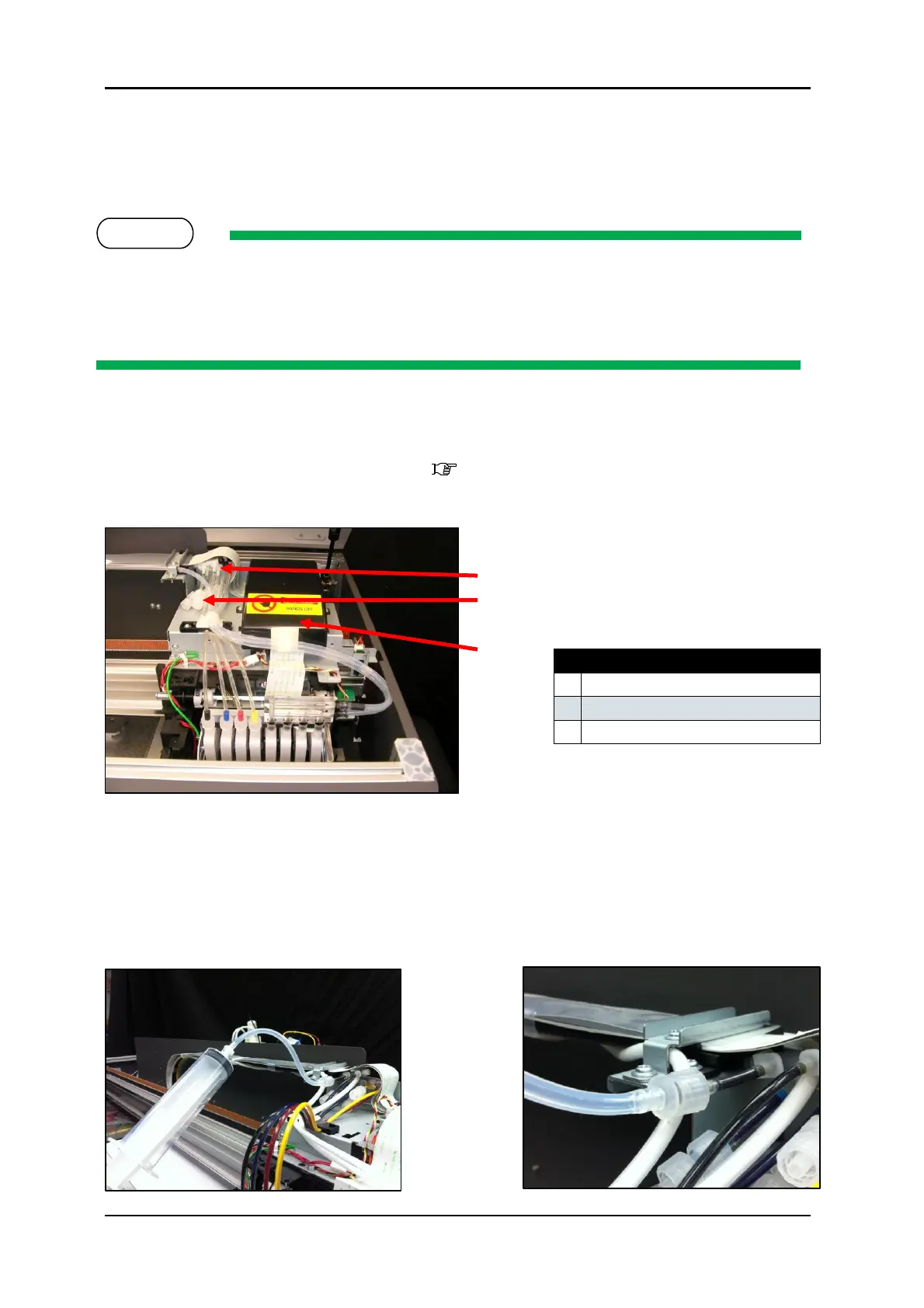
Locate the connector caps (4) on the 3 way joints for the C,M,Y & K ink tubes (located to the
left of the CR board assembly cover).
Remove the cap from the connector for the first ink colour that you wish to discharge.
Pull the syringe plunger to fill the syringe with air
Connect the syringe & tube adaptor kit to the un-capped connector.



 To Next Page