DTG M Series Maintenance Manual Initial Setup & Basic Operations
3.5 Basic Operations
Some basic printer operations are described here as they are referred to in the Initial Setup
instructions.
3.5.1 Switching the Printer ON
Be sure to use the power cable supplied with the printer. If incorrect power cables are
used, electric shock or fire may result
Do not use a power cable that is damaged. To do so could result in electric shock or fire.
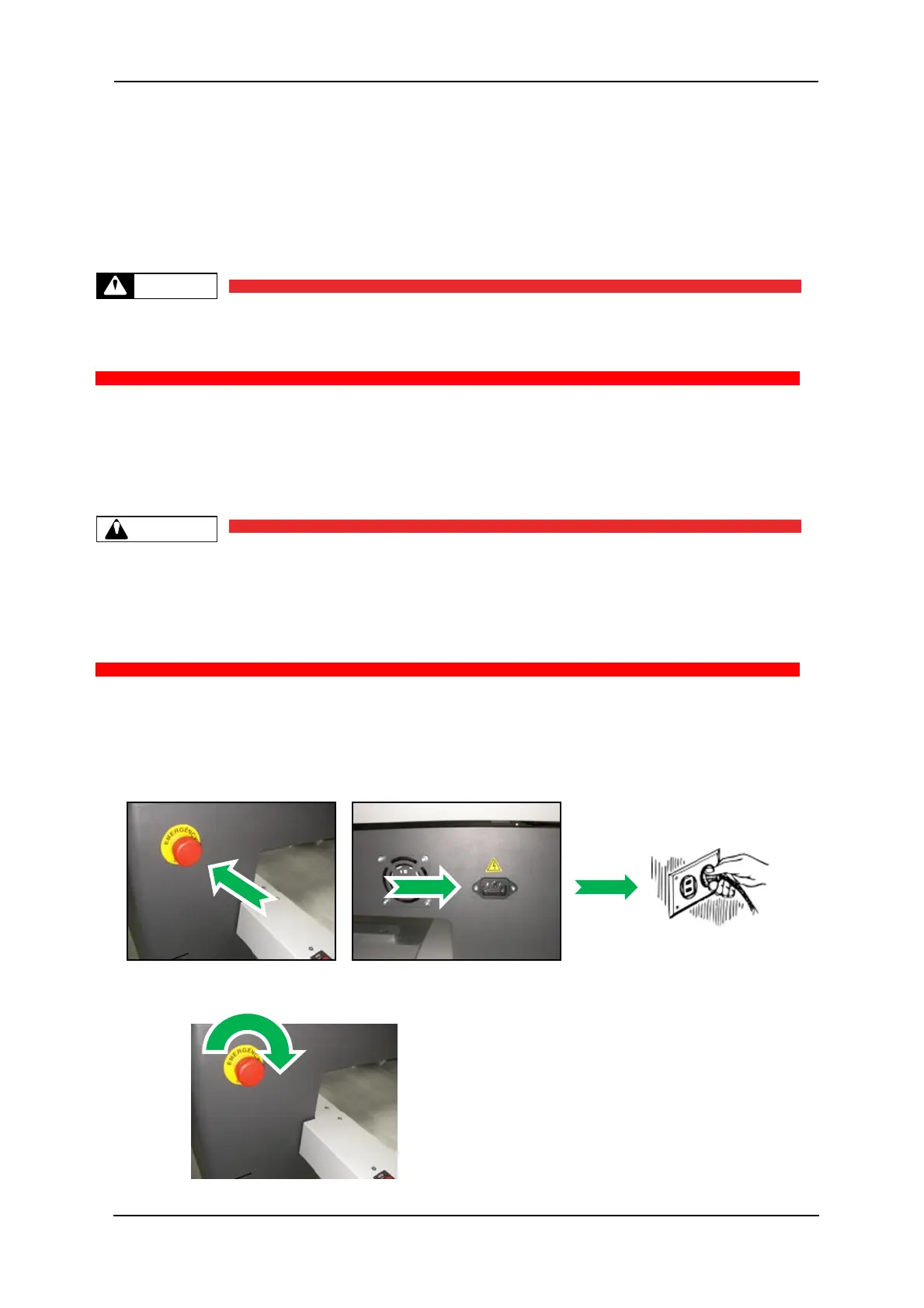
1. Ensure that the emergency stop is engaged by pressing hard on the red cap.
2. Plug the supplied mains cord into the socket at the rear of the printer.
Pay attention to the following when handling the power cable:
Do not do anything forcefully (e.g. pull, bend, twist) on the power cable
Do not place heavy objects on the power cable
Do not route the power cable near heat sources
3. Failure to remove the shipping tape before powering up the printer may result in
catastrophic damage to the printer drive mechanism.
4. Plug the other end of the power cord into the wall socket and turn ON.
5. Rotate the red cap of the emergency stop to allow the printer to receive power.



 To Next Page