Initial Setup & Basic Operations DTG M Series Maintenance Manual
3.5.4 Confirming Default Settings
This section gives an overview of the Setup Menu and the M series default settings.
There are some critical M series default settings that ensure that the printer operates in accordance
with the M series specifications. If these settings are not set at the correct value, the printer will
not behave correctly. Table 3-2 Setup Menu Structure page 38
Take care not to alter the default settings of the printer. If it is necessary to enter the Setup Menu
for any reason, follow the instructions below carefully and ensure that settings are maintained as
described in 3.5.4.4 "Setup Menu Structure" p.38
3.5.4.1 Enter the Setup Menu
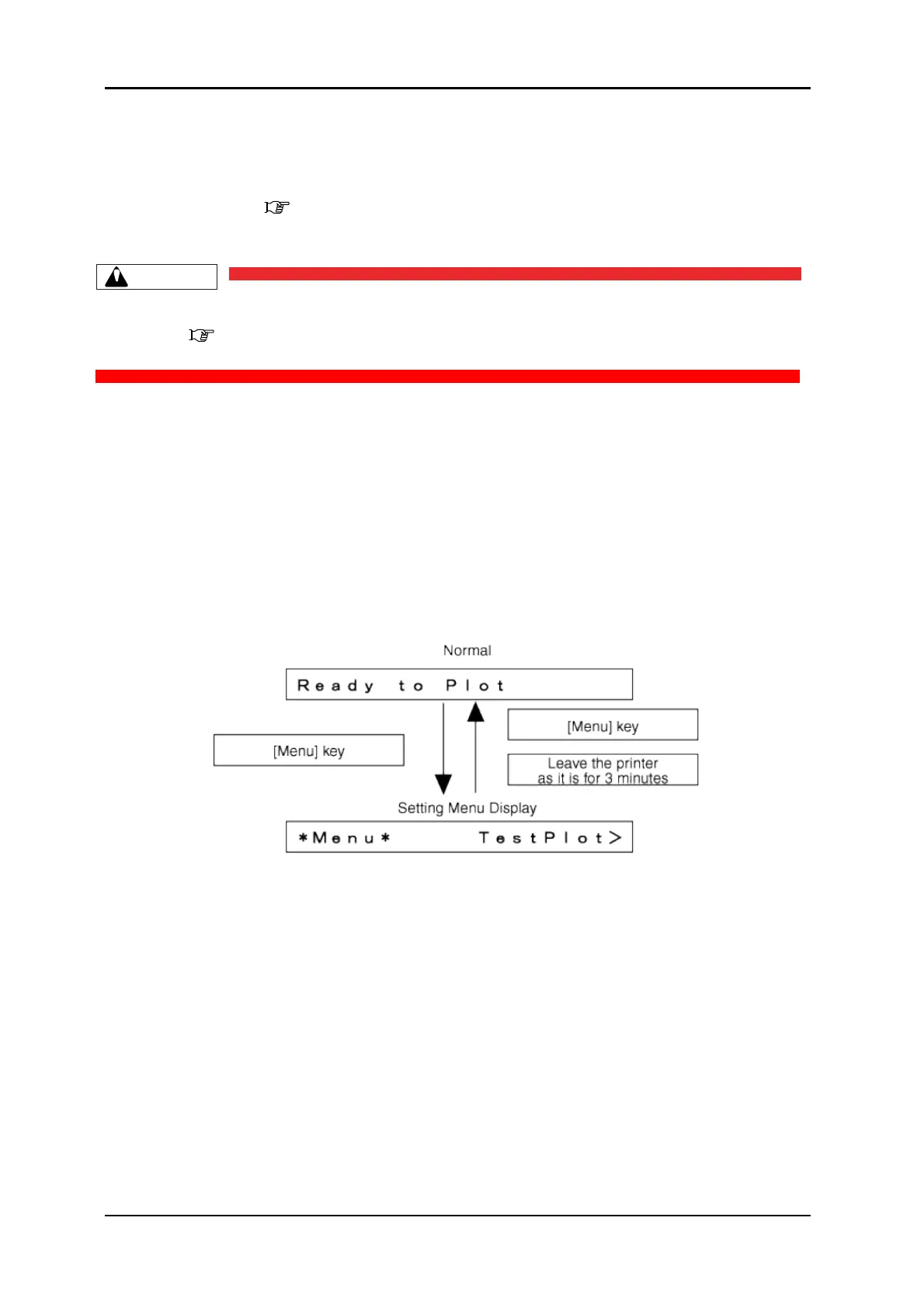
When the printer is in “normal” mode, press the [Menu] key
The operation panel will shift to the setup menu display and show "*M e n u * T e s t P l o t > ".
3.5.4.2 Return to Normal Display
While the plotter is in setup menu display, if either of the following operation is done, the operation
panel shifts to Normal display.
[Menu] key on operation panel is pressed.
In the Setup menu, leave the keys untouched for three minutes.



 To Next Page