DTG M Series Maintenance Manual Initial Setup & Basic Operations
3.6 Initial Setup
Once your printer has been removed from the crate and positioned as per 3.3 "Choosing a Place
for the Printer" p.25 , use the following directions to prepare the printer for printing.
3.6.1 Removal of Shipping Tape
No tools are required for this procedure.
1. Remove any tape from the printer top cover (lid) then open the top cover (lid).
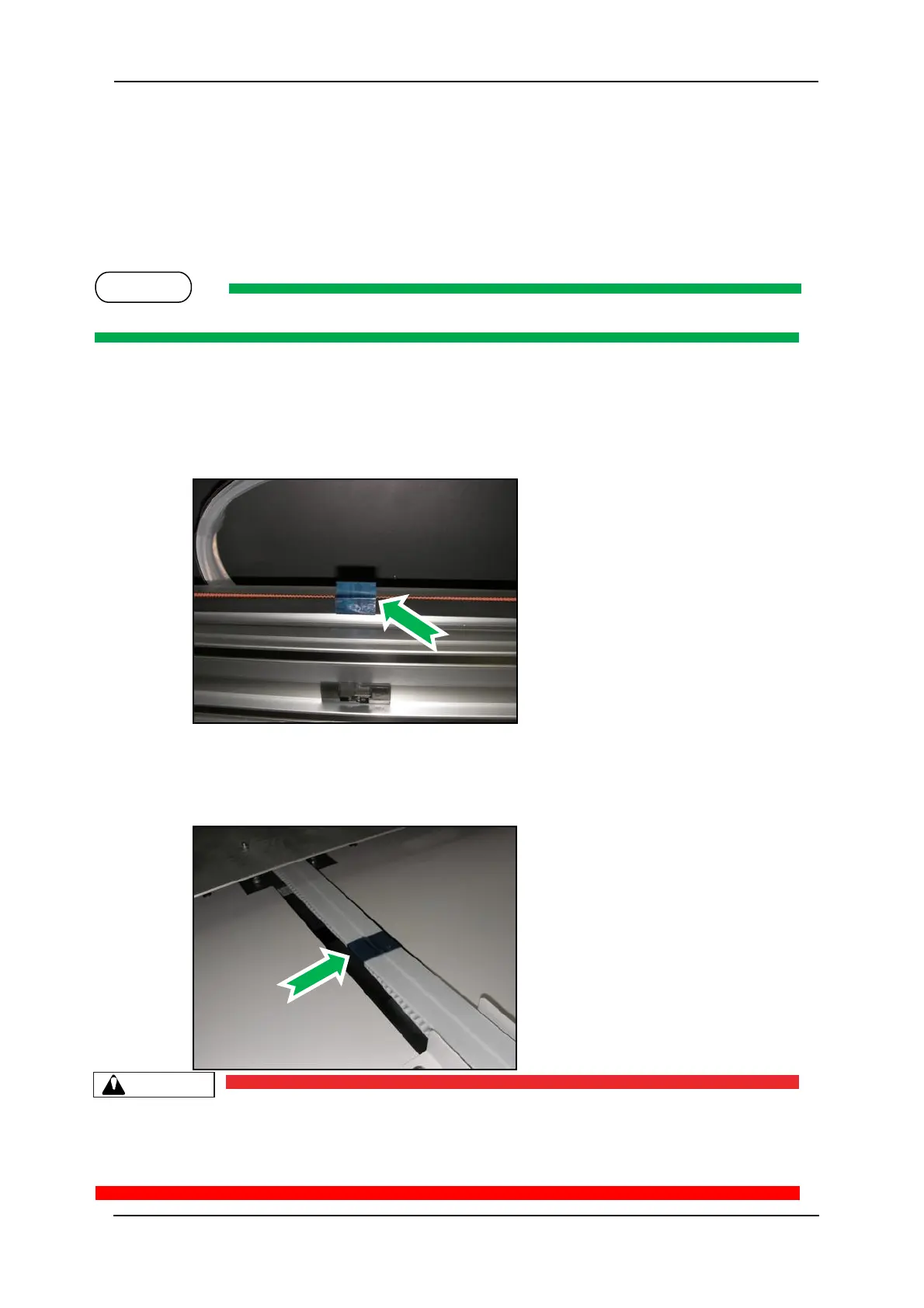
2. Locate the shipping tape near the centre part of the carriage belt as shown.
3. Carefully remove this tape, do not use any form of cutting instrument.
4. Locate the shipping tape on the media tray drive belt.
5. Carefully remove this tape, do not use any form of cutting instrument.
Failure to remove the shipping tape before powering up the printer may result in catastrophic
damage to the printer drive mechanism.



 To Next Page