DTG M Series Maintenance Manual Initial Setup & Basic Operations
12. Perform a head clean in accordance with the instructions in Section 3.5.5 "Performing a
Head Clean from the Operation Panel" p.41 and then follow the instructions in Section
3.6.4 below regarding the loading of media and doing nozzle test prints.
3.6.4 Loading Media for Printing
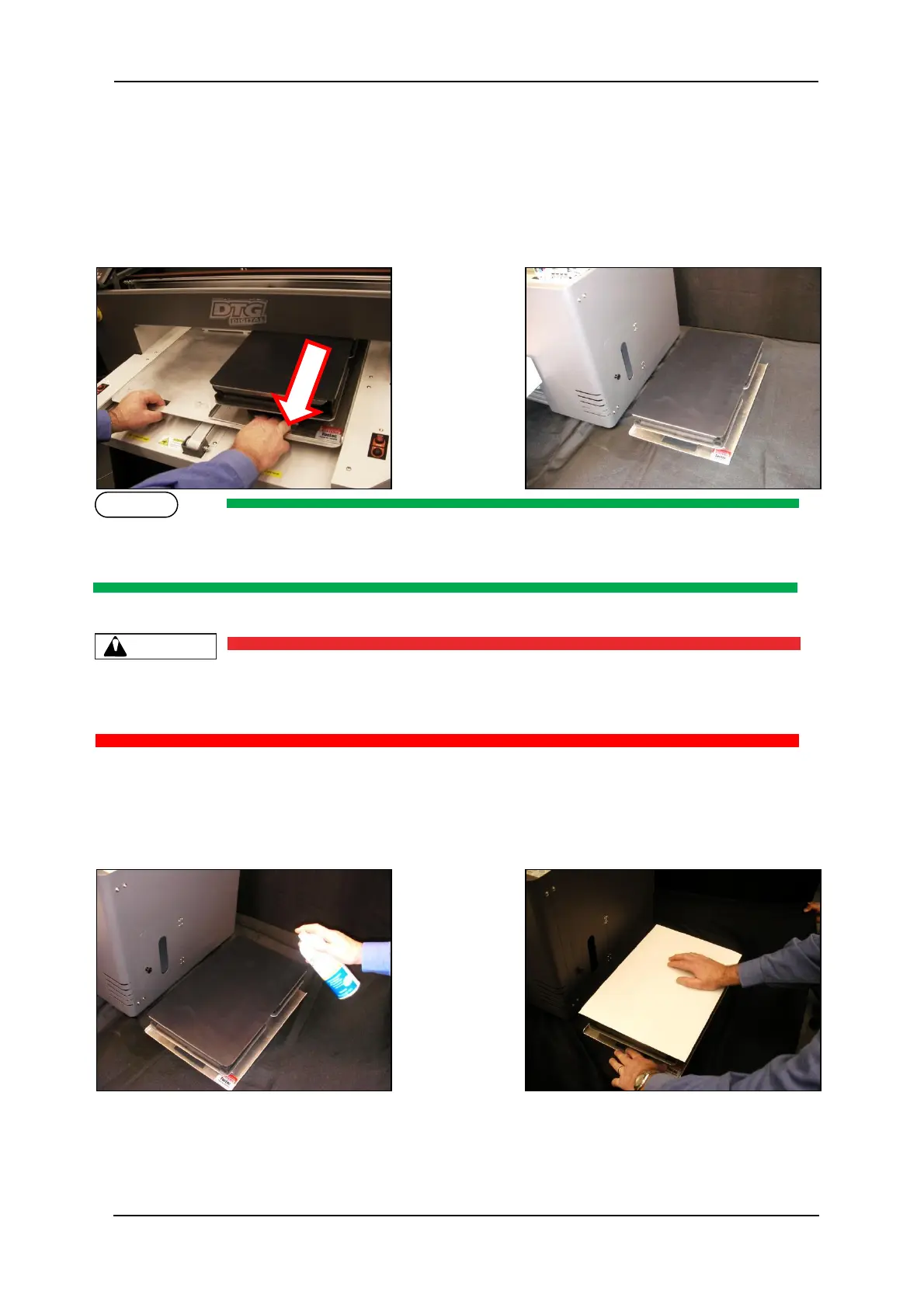
1. Pull the platen tray forwards to allow easy access to the platen as shown. Then remove the
platen from the platen tray and place on a firm level surface.
If you are using paper for test printing purposes lightly spray the platen surface with spray tack
adhesive.
Be sure not to use the spray close to the printer as air-borne adhesive may make it’s way into the
printer and cause damage to the print head
2. If you are using paper, gently smooth the paper on to the platen with your hand to ensure it
is flat.



 To Next Page