DTG M Series Maintenance Manual Initial Setup & Basic Operations
3.6.3 Initial Ink Fill Process – White
No tools are required for this procedure. Use protective gloves to avoid stained fingers.
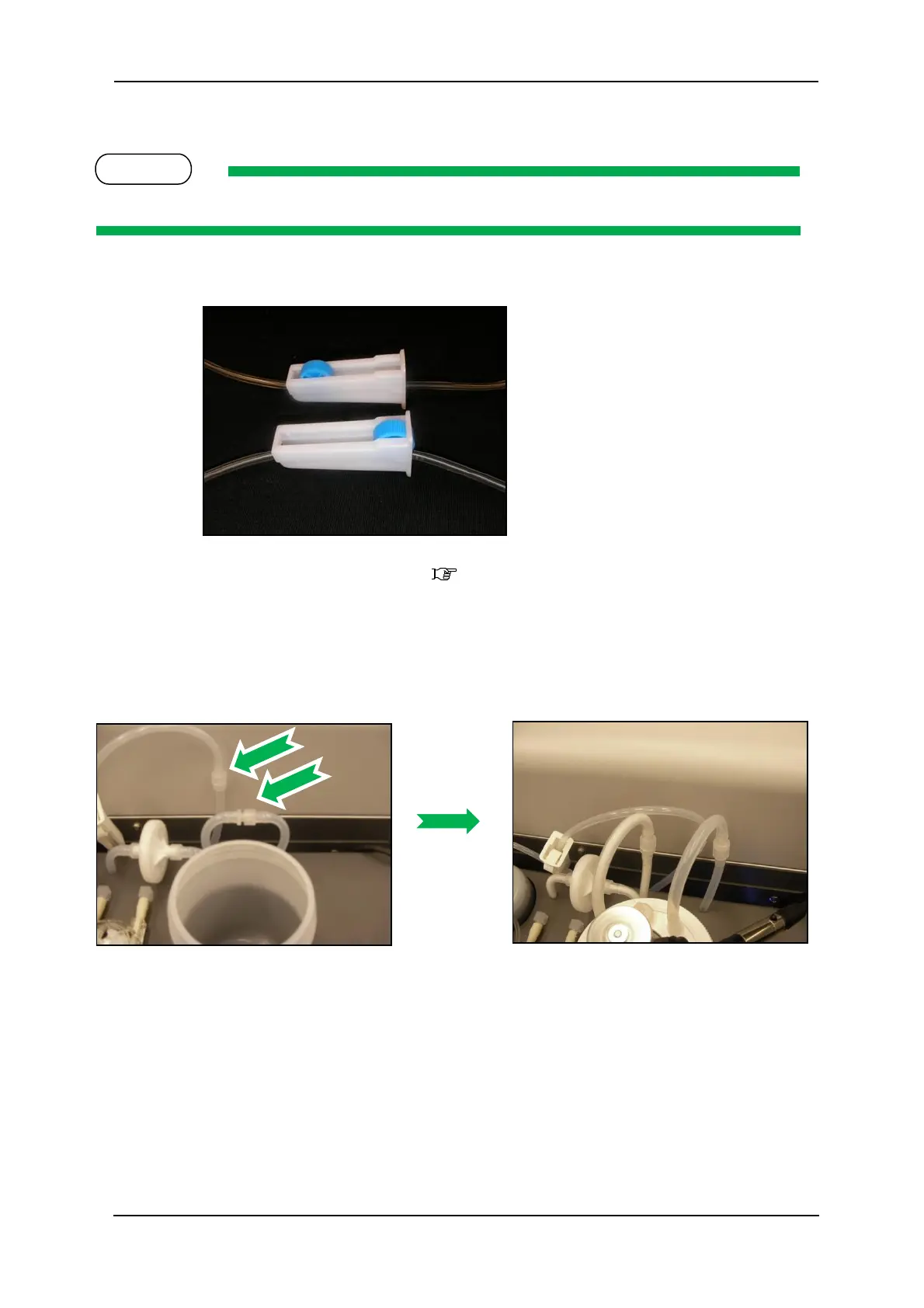
1. Ensure that all tube clamps are in the open position as shown, wheel at the wide end.
2. Ensure that the printer is switched off 3.5.2 "Switching the Printer OFF." p.31
Switching the Printer OFF.
3. Locate the white ink feed and return tubes as shown, they will be connected to ensure that
there is shipping liquid in the lines during transportation & prior to commissioning of the
printer. Disconnect them and join them to the white ink tank as shown:
4. Switch the on the power to the printer as described in Section 3.5.1 "Switching the Printer
ON" p.29
5. This will supply power to the WIMS system, allowing any shipping fluid in the ink lines to
circulate back to the white ink container.
6. After several minutes, again remove power from the printer, to stop the WIMS circulation.
7. Unscrew the white ink container lid by holding the lid and rotating the container. There
will be a small quantity of shipping fluid inside which will need to be poured out. Ensure
the container is empty & clean.



 To Next Page