DTG M Series Maintenance Manual Initial Setup & Basic Operations
3.6.7 Examining a Nozzle Check Test Print
The Printer has the ability to do a nozzle test print which will indicate the integrity of the nozzle
orifices. Blocked nozzles will cause the printer to produce poor quality output.
Load a sheet of clean paper for printing in accordance with Section 3.6.4 "Loading Media for
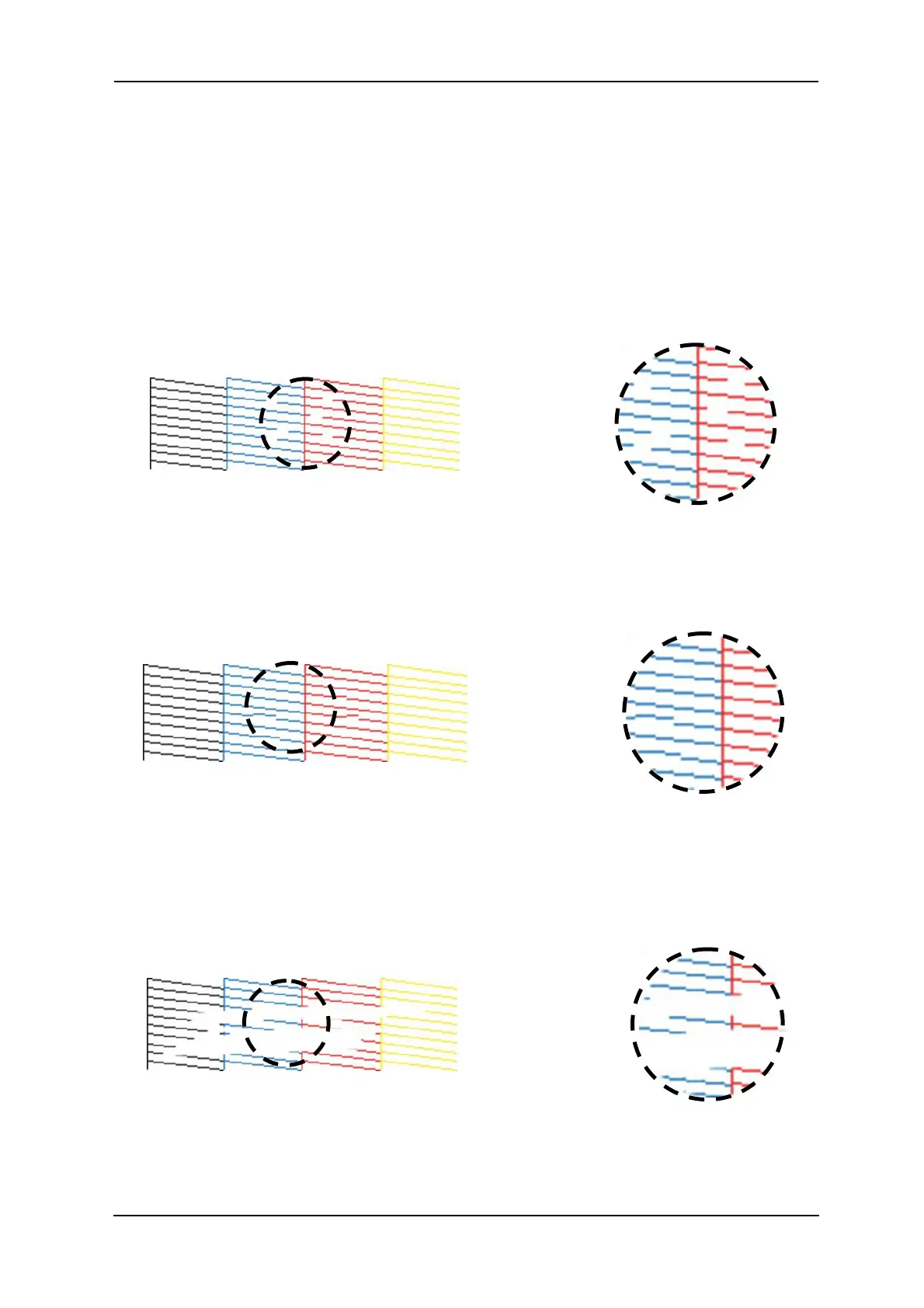
Printing" p.49 to do a nozzle test print and compare the results to the pictures below. White ink is
NOT shown here.
This print shows missing nozzle line which indicates that there is either a blockage or an air pocket
preventing the individual nozzle(s) from ejecting any ink:
This print shows a misplaced (deflected) nozzle line which indicates that there is either a partial
nozzle blockage or debris on the print head facet preventing the nozzle from ejecting ink in a
straight line:
This print shows a line of missing nozzle prints which indicates that there is likely to be physical
damage to the print head face, possibly by the print head face striking the platen surface or the
media which is preventing the affected nozzles from ejecting any ink:
FIGURE 3-6 NOZZLE TEST PRINT - MISSING NOZZLES
FIGURE 3-7 NOZZLE TEST PRINT - MISPLACED NOZZLES
FIGURE 3-8 NOZZLE TEST PRINT - MISSING NOZZLE LINES



 To Next Page