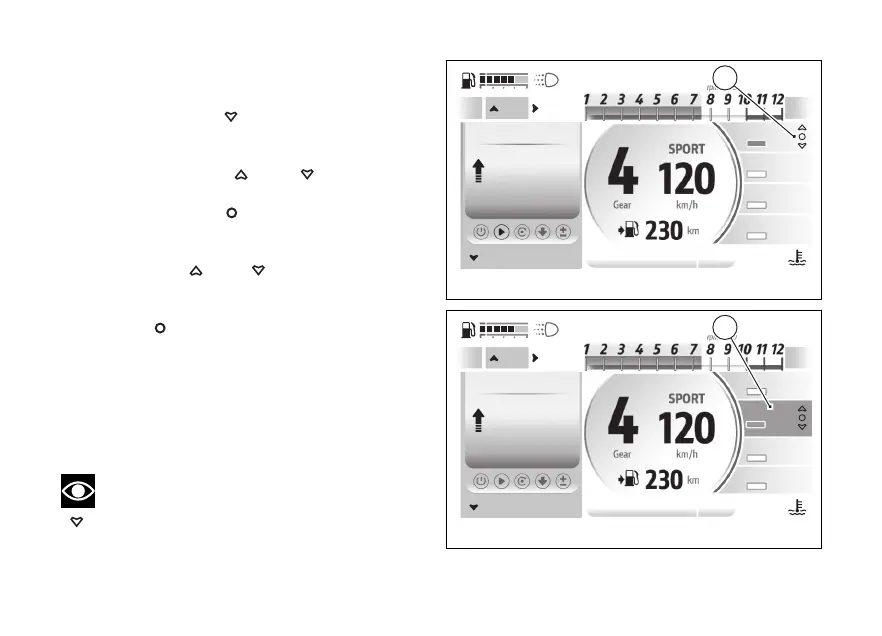
Changing the level
●
If the selection on the Trip Master is active, long
press the
.
●
The symbols (B) are displayed on the right-hand
side of the DTC level.
●
Using the
and , you can select
the parameter you want to change (e.g. PWR).
●
Press the
to edit the selected
parameter. The selected parameter is then
highlighted with the relevant colour (C).
●
Use
and to scroll and select the
levels available for the selected parameter.
●
Once the desired level is selected, press the
to confirm.
The changes made are saved for the Riding Mode in
use.
For a correct choice of the levels and hence to
customise the Riding Modes, refer to the “Riding
Mode setup” function in the - Advanced”
menu.
Note
To select the Trip Master, long press the
.
A
ABS
2
EBC
2
PWR
Mid
DTC
2
Trip master
85.0
km
Trip master
Infomode
Menu
97
°C
09:09
am
B
Fig 96
A
ABS
2
EBC
2
PWR
Mid
DTC
2
85.0
km
Trip master
Infomode
Menu
97
°C
09:09
am
Trip master
C
Fig 97
133










 To Next Page