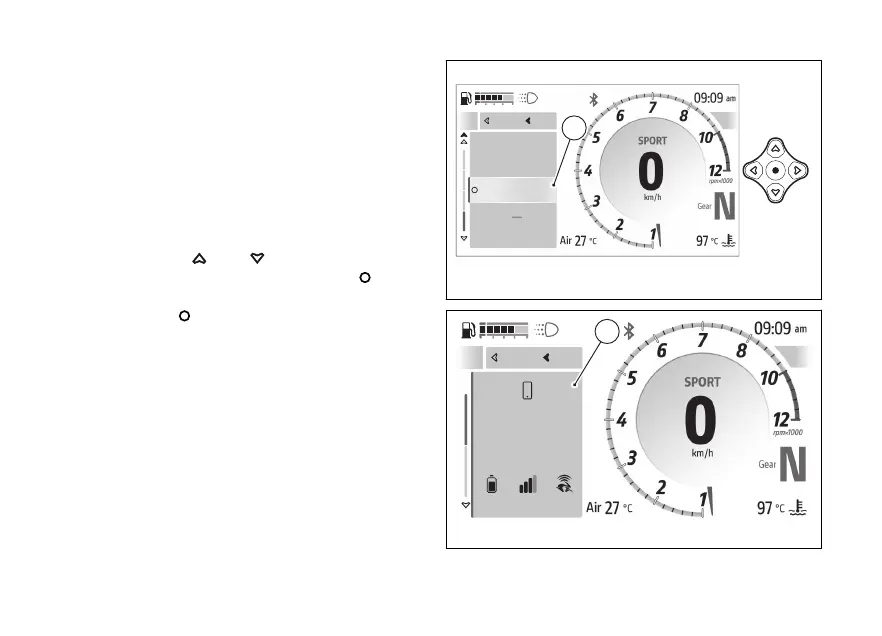
features - Devices status (if
any)
This feature is available only if the Bluetooth control
unit is installed and is contained within the
features” menu: it displays the information relating
to the status of the paired Bluetooth devices
(connected or not connected).
To open this function:
●
Open the function menu.
●
Use
and to select the
features” item and press the .
●
Select the “Devices status” item (A) and press
the
.
The window (B) is displayed and shows information
such as level and signal strength of the
network, connection to the Ducati Link
app, etc.
The devices paired but not currently connected to
the instrument panel are greyed out.
A
Device Status
Navigator
Close
Back
Phone
Music
A
Fig 133
Close
Back
A
Iphone 15 Plus
72%
Connected
Close
Back
B
Fig 134
170










 To Next Page