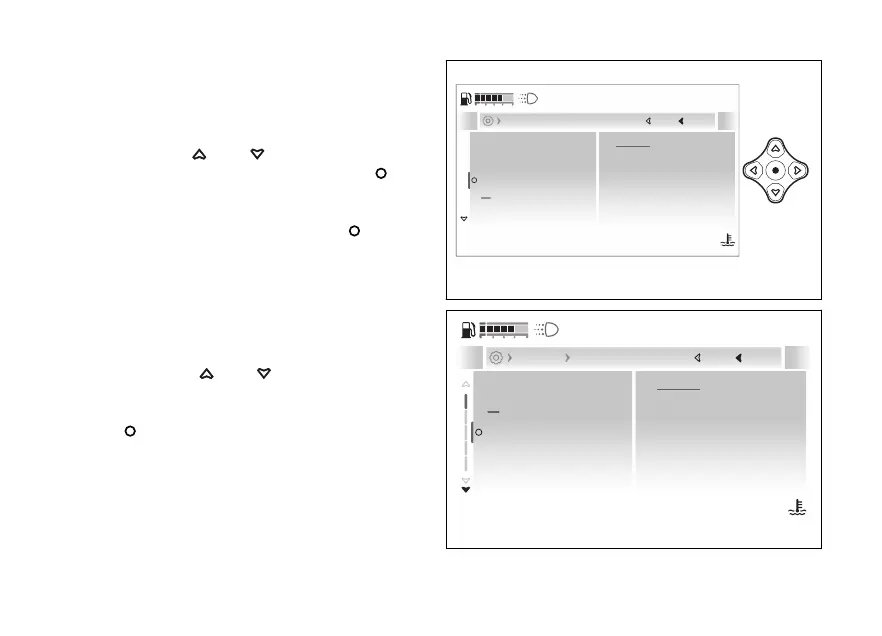
- Advanced - Riding Mode
setup
This function allows customising each Riding Mode.
●
Enter the menu.
●
Use
and to select the
“Advanced” item and press the .
●
Select the “Riding Mode setup” item: the name
of the Riding Mode in use is displayed with the
current Press the
to
confirm.
The “SPORT setup”, “TOURING setup”, “URBAN
setup”, “ENDURO setup”, “WET setup” riding modes
and “All default” item are displayed (only visible if
one or more parameters of one or more Riding
Modes have been changed).
Using the and it is possible to select
the Riding Mode to be customised, whose current
are displayed on the right side. Press the
to confirm.
Riding Mode setup
SPORT
DTC
4
DWC
2
EBC
1
DQS
On
Current
Close
Back
Advanced
120
°C
09:09
am
N
Gear
Fig 164
TOURING setup
URBAN setup
SPORT setup
ENDURO setup
Next
Close
Back
Advanced Riding Mode setup
120
°C
09:09
am
N
Gear
DTC
4
DWC
2
EBC
1
DQS
On
Susp.
Dynamic
Power
High
ABS
3
A
Fig 165
197










 To Next Page