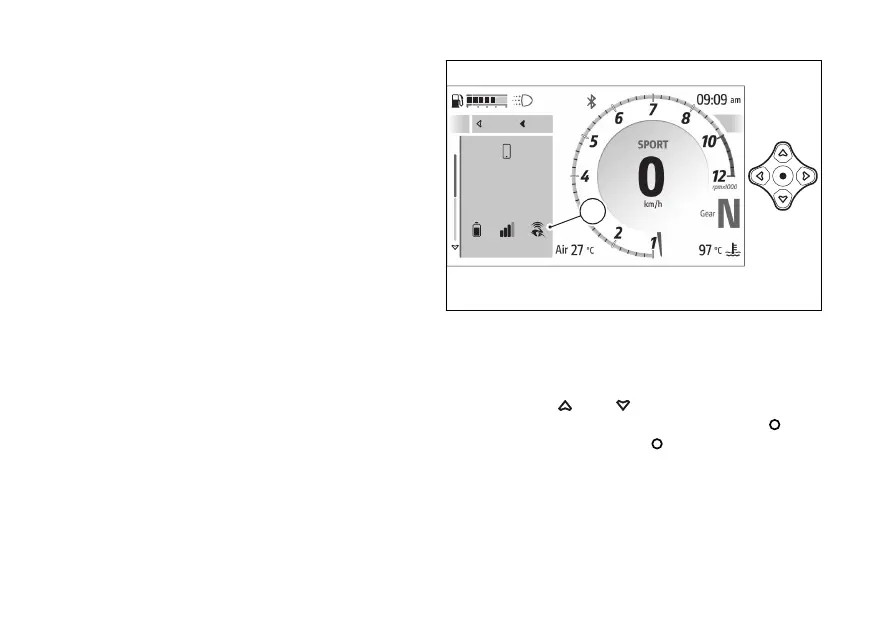
Ducati Link app connection
If a with the Ducati Link app active is
connected, the relevant icon (A) is displayed on the
instrument panel within the “Devices status”
function included in the features” menu.
When icon (A) flashes, it indicates that the route is
being recorded by the Ducati Link app.
For the Bluetooth pairing procedure, refer to section
- Devices - Bluetooth”.
Saving the Ducati Link configuration
This function allows you to save the bike
configuration selected on the Ducati Link app on
your
It is necessary to:
●
have previously paired the to the
instrument panel via Bluetooth;
●
have the Bluetooth connection active on your
●
have the paired connected.
●
The Ducati Link function must be activated on
the
If changes have been made to the bike configuration
on the Ducati Link app, follow the instructions
indicated by the app to send the configuration to the
connected instrument panel.
A screen is then displayed asking if you want to save
the configuration made on the Ducati Link app.
With
and , select the item “No” to
the operation by pressing the , or
“Yes” and press the
to continue.
The waiting screen page is then displayed during
which the configuration is saved.
If successful, the message “Successful update” is
displayed for a few seconds, which the
Close
Back
A
Iphone 15 Plus
72%
Connected
Close
Back
A
Fig 227
258










 To Next Page