USB connection
The motorcycle is provided with a 5 V USB
connection. It is possible to connect electric loads up
to 1 A to the USB connection.
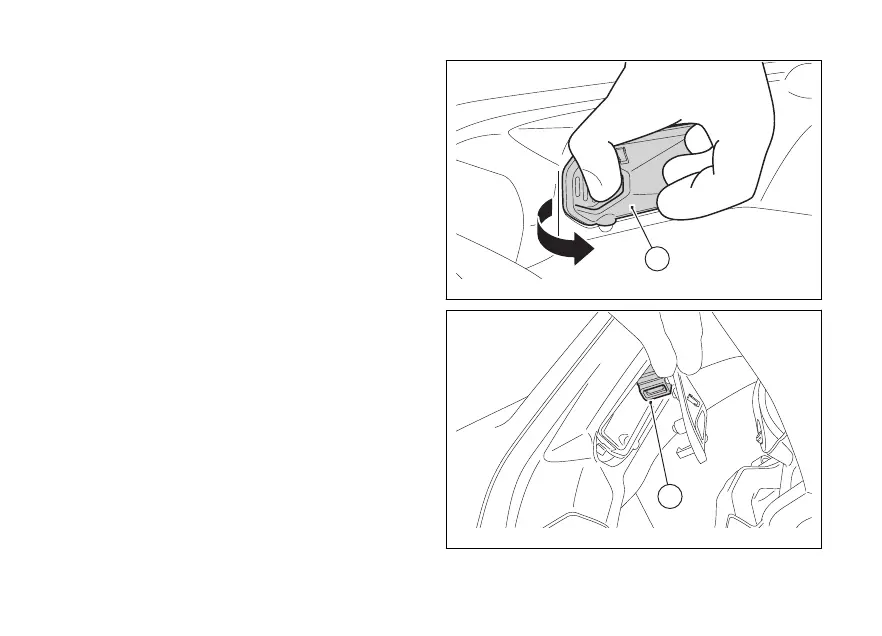
The USB connection (2) is located on the front
dashboard and is protected by a lid (1).
Opening the USB
1) Place your thumb on the opening area and your
opposite finger on the lid (1).
2) Press your finger on the back of the lid (1) to
easily open it with your thumb.
3) Once opened, the cable with USB-A
connector into the socket (2) and follow the
cable passage to the outlet in the appropriate
hole (Fig 51).
4) Close the lid (1) by applying the necessary
pressure until a "clack" is heard.
Fig 49
Fig 50
67










 To Next Page