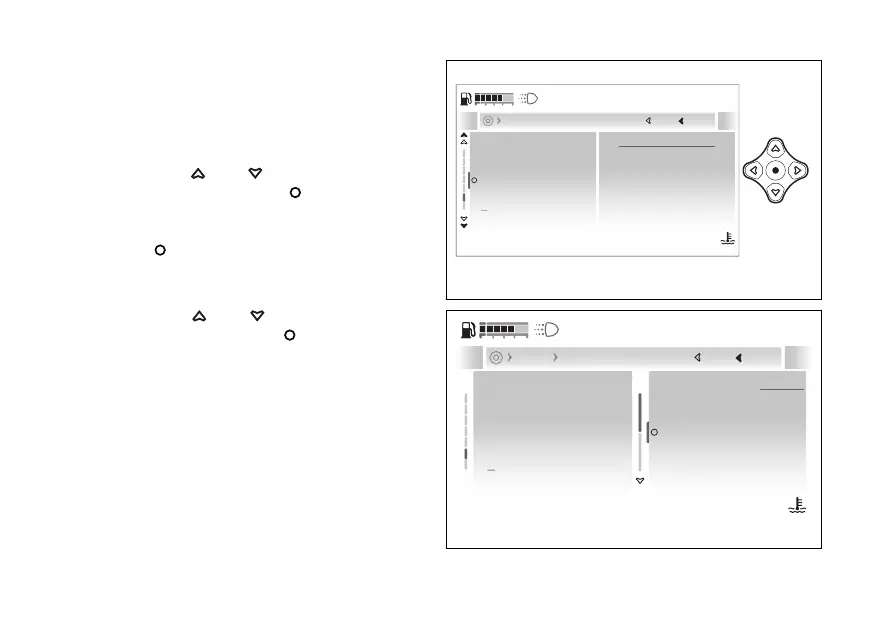
- Display- Trip master
precision
This function allows the accuracy level of the
Trip Master function.
●
Enter the menu.
●
Use
and to select the “Display”
item and press the .
●
Select the “Trip master precis.” item: the
currently set mode is displayed. Press the
to confirm.
●
The “0.1 km” and “0.01 km” options are displayed
together with the currently set mode.
●
Use
and to select the desired
item and press the
to confirm and go
back to the previous screen.
0.1 km
Current
Close
Back
Display
120
°C
09:09
am
N
Gear
Riding info order
Language
Trip master precis.
Fuel indicator
A
Fig 209
0.1 km
0.01 km
0.1 km
Current
Close
Back
Display Trip master precision
120
°C
09:09
am
N
Gear
Language
Trip master precis.
Fuel indicator
Riding info order
A
Fig 210
245










 To Next Page