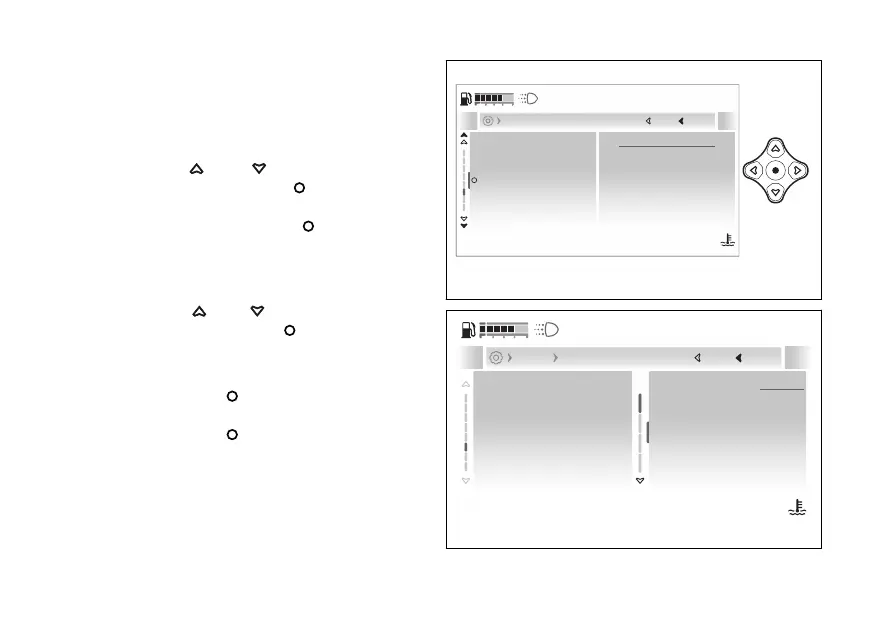
- Vehicle - Lap
This function allows enabling or disabling the Lap
function in the “My Ride” menu and viewing and
deleting the recorded Lap data.
●
Enter the menu.
●
Use
and to select the “Vehicle”
item and press the .
●
Select the “Lap” item: the currently set status is
displayed. Press the
to confirm.
●
The “On”, “Lap data” and “Erase data”
items are displayed (only visible if saved laps are
available).
●
Use
and to select the desired
item and press the to confirm and go
back to the previous screen.
To activate the lap recording, select the “On” option
and press the to confirm.
To disable the lap recording, select the option
and press the
to confirm.
Lap
PIN code
Turn indicators
Coming home light
Service and info
On
Current
Close
Back
Vehicle
120
°C
09:09
am
N
Gear
Fig 150
Lap
PIN code
Turn indicators
Coming home light
Service and info
On
On
Of
Lap data
Current
Close
Back
Vehicle
Lap
120
°C
09:09
am
N
Gear
Fig 151
186










 To Next Page